
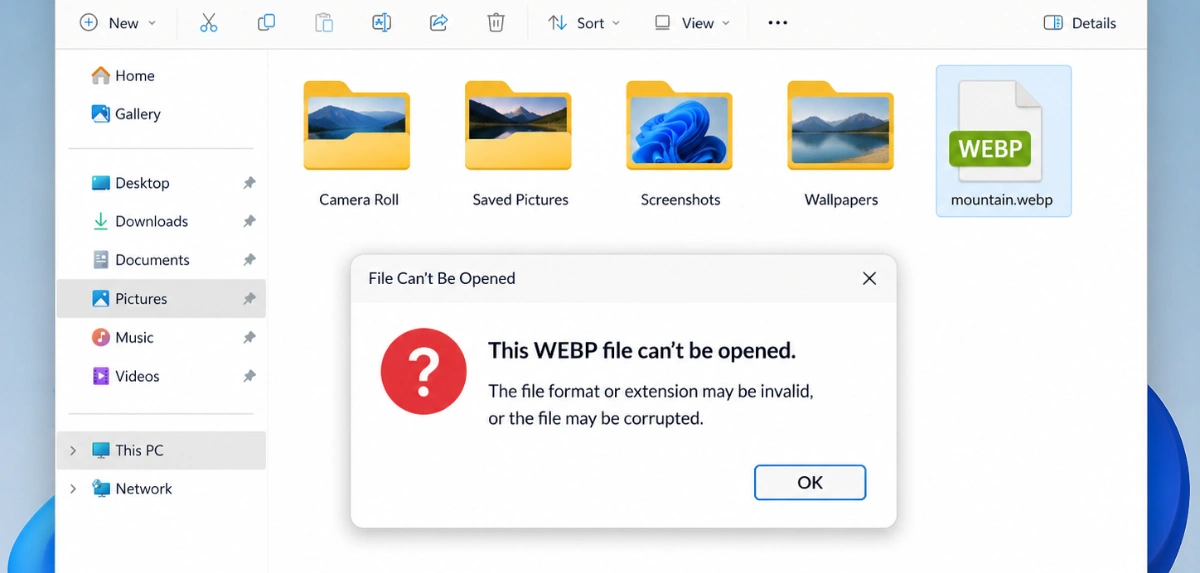
Why won't my WebP file open?
You saved a picture off a website and now nothing will open it. The file ends in .webp, your software has never heard of it, and the browser you got it from displays it perfectly. Here is what is actually going on.
So what is a WebP file?
WebP is an image format Google put out in 2010 and has been pushing ever since. It does two things JPG cannot. It handles transparency, and it makes photographs considerably smaller.
A photo saved as WebP is typically 25 to 35 percent smaller than the same photo saved as JPG, at the same visual quality. Images are the heaviest part of most pages, so this is one of the biggest speed wins available — and speed feeds into both visitors and rankings.
The mechanism has a name: Largest Contentful Paint, Google's measure of how long the biggest thing in the first screenful takes to appear. On most pages that biggest thing is a photograph, so its file size more or less is the score. Shrink the images and the number moves. That is why so many sites serve WebP now, and why a right-click "save image as" keeps landing you with one.
It is not broken. It is not a failed download. It is not a virus. It is a perfectly ordinary image in a format your software has simply never been taught to read.
Why the browser opens it and nothing else will
Browsers got WebP first, and fast, because Google both invented the format and makes Chrome. Everyone else followed: Firefox in 2019, Safari in 2020 with macOS Big Sur, Edge alongside Chrome. By 2020 every current browser could display WebP — which is exactly why the image looked fine on the site you took it from.
Everything that is not a browser moved much more slowly, and plenty of it never moved at all. The single biggest source of frustration here: Photoshop only got native WebP support in version 23.2, released in February 2022. A lot of working designers are still on something older, often deliberately, and they get an error. Before 23.2 you needed a third-party plugin just to open the thing.
Quick rule of thumb: if your software is older than about 2021 and it is not a browser, assume it will not open WebP. That one line explains nearly every case.
What opens WebP, and what does not
| Software | Supported? | Notes |
|---|---|---|
| Chrome, Edge, Firefox, Safari | Yes | All of them since 2020 at the latest |
| Photoshop | Yes, from 23.2 | February 2022. Anything older needs a plugin |
| Windows Photos | Yes on Windows 11 | Older Windows Photo Viewer does not |
| macOS Preview | Yes from Big Sur | 2020 |
| Microsoft Office | Sometimes | Recent builds take it; older ones refuse |
| Print shops and photo labs | Usually not | Most want JPG, TIFF or PDF |
| Older or specialist software | Usually not | Anything written before 2021 |
The fix: turn it into a JPG
Converting takes a few seconds and the problem never comes back. JPG has been readable by essentially everything since 1992. The free WebP to JPG converter does it in your browser, so the file never gets uploaded anywhere — which matters if it is a client image or anything you would rather keep to yourself.
Two things worth knowing before you do it:
- The file will get bigger. That is the trade you are making. WebP is more efficient, so the same picture as a JPG usually comes out 25 to 35 percent larger. For a file that just needs to open somewhere, that is a fine price to pay.
- Transparency disappears. JPG has no alpha channel at all, so anything transparent turns solid white. If your WebP is a logo or a cut-out, go to PNG instead — or keep the WebP, since it handles transparency at a fraction of PNG's size.
Two things not to do
Do not just rename the file. Changing photo.webp to photo.jpg
converts nothing — the bytes inside are still WebP, and your software will either refuse it outright or open
something visibly broken. The image has to be genuinely re-encoded.
Do not convert your website's images away from WebP. If you run a site, WebP is the format you want going out to visitors: smaller files, faster pages, better Core Web Vitals scores. Convert to JPG only for the files that need to leave the web.
Frequently asked questions
What is a .webp file?
A WebP file is an image in a format Google released in 2010. It stores photographs about 25 to 35 percent smaller than JPG at the same visual quality and can handle transparency, which is why websites use it. It is a completely normal image file — not corrupted, not unsafe.
Why can't Photoshop open my WebP file?
Because your version is too old. Photoshop only got native WebP support in version 23.2, released in February 2022. On anything earlier you need a third-party plugin — or you can just convert the file to JPG first, which takes seconds and works in any version.
Can I just rename a .webp file to .jpg?
No. Renaming changes the label, not what is inside — the bytes are still WebP, so software will either refuse the file or open something visibly broken. It has to be properly re-encoded, which is what a converter does.
Is WebP safe to open?
Yes. WebP is an ordinary open image format from Google, supported by every major browser. A file that will not open is telling you about a gap in your software, not about anything wrong with the file.
How do I convert WebP to JPG for free?
Drop it onto the WebP to JPG converter and download. It runs in your browser so nothing gets uploaded, and there is no account, no watermark and no resolution limit. A whole folder can go through at once and come back as a ZIP.
Will converting WebP to JPG make the file bigger?
Usually yes, by roughly 25 to 35 percent, because WebP compresses more efficiently. That is the price of working everywhere, and the converter lets you drop the quality setting to claw some of it back if size matters.
Convert your file now
The WebP to JPG converter runs in your browser: drop the file in, download the JPG. Nothing uploaded, no signup, and batch mode handles a whole folder at once. If you need it smaller too, the image resizer resizes and compresses in the same pass.