
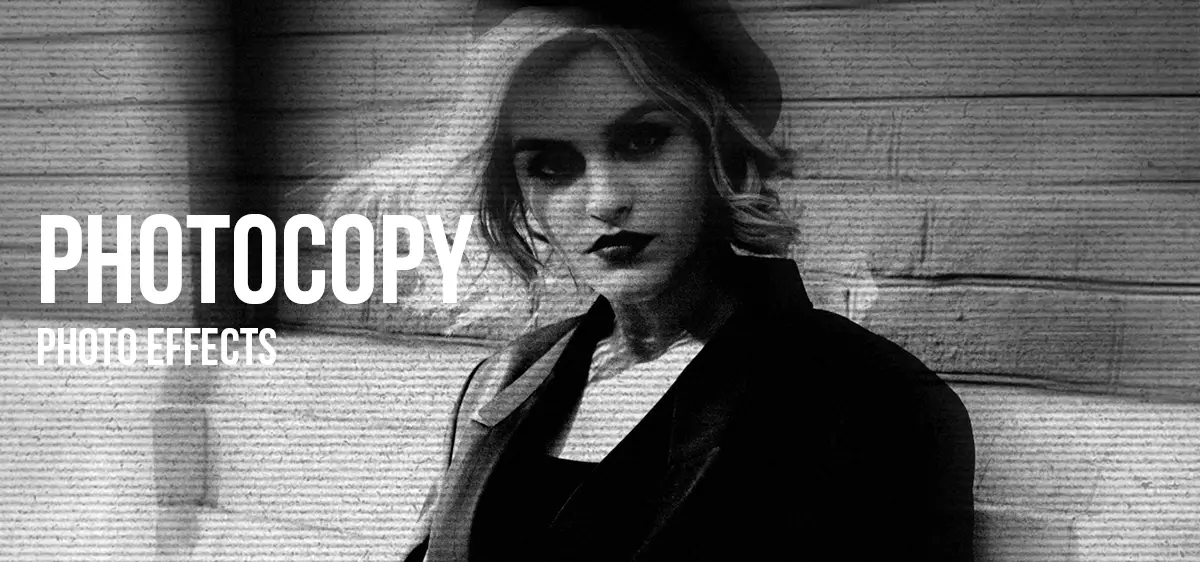
How to make a photo look like a photocopy
A photocopier can do only two things to any spot on the page: dust it with black powder, or leave it white. It has no way of making grey. Almost everything that makes a photocopy look like a photocopy comes from that one limit.
How a photocopier works
A photocopier does not use ink. It uses a fine black powder called dry toner, and the whole machine exists to make that powder stick to the right parts of the page. The proper name for the process is xerography, which means dry writing. The dry matters: toner is not always a powder — some commercial presses use a liquid toner, with the colour suspended in oil — and everything below follows from the fact that a dry powder either sticks to a spot or it does not.
Inside is a metal drum with a coating that holds an electrical charge in the dark and loses it wherever light falls. The copier shines a bright lamp at your original, and the light bounces off the page onto the drum: pale parts send back a lot of light, dark parts very little. The drum is left holding a charge in exactly the places your original was dark, the dry toner is attracted to that charge and sticks only there, and the powder is then pressed onto a fresh sheet and melted in with heat — which is why a copy is warm when it comes out.
There is no ink in a photocopier. It works by making black powder stick to the parts of the page that were dark, then melting that powder onto the paper.
Chester Carlson worked this out in a rented room in Queens, New York, and made the first successful image on 22 October 1938. It took another twenty-one years to turn into a machine anyone wanted to buy: the Xerox 914, in 1959, was the first plain-paper copier good enough to sit in an ordinary office. The process has barely changed since.
How to make a photo look photocopied
The mistake is to reach for the contrast slider. Turning up contrast makes the dark parts darker and the light parts lighter, but every shade in between still exists. A photocopier does something much harsher: it throws those in-between shades away altogether. Every spot ends up either solid black or blank paper, with nothing in the middle.
Contrast keeps every shade and spreads them further apart. A photocopier throws the middle shades away. That is the whole difference.
That is why a photograph that has simply been darkened looks like a dark photograph rather than a photocopied one. The damage is the effect, and going easy on it is the usual mistake.
Try photocopy photo effects online
Try them on one of your own photographs. Everything runs in your browser and nothing is uploaded.
-
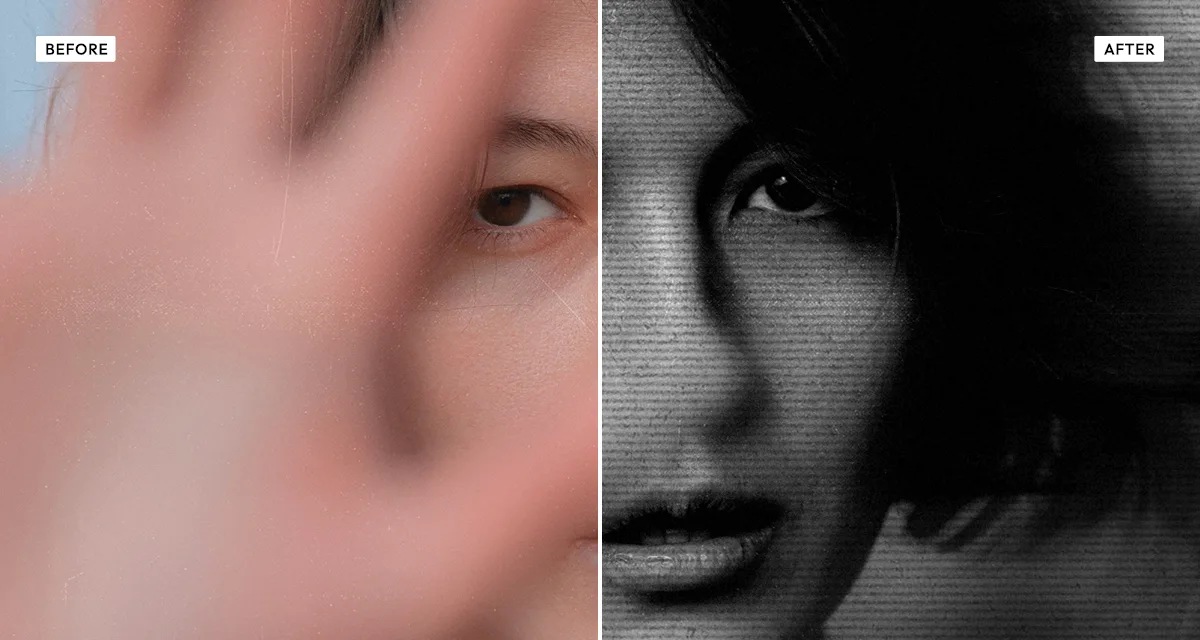 Photocopy Scan
The process itself: tones crushed to black and white, toner streaks, scanline noise and darkened edges, as though the page has been through the machine several times.
Try the effect
-
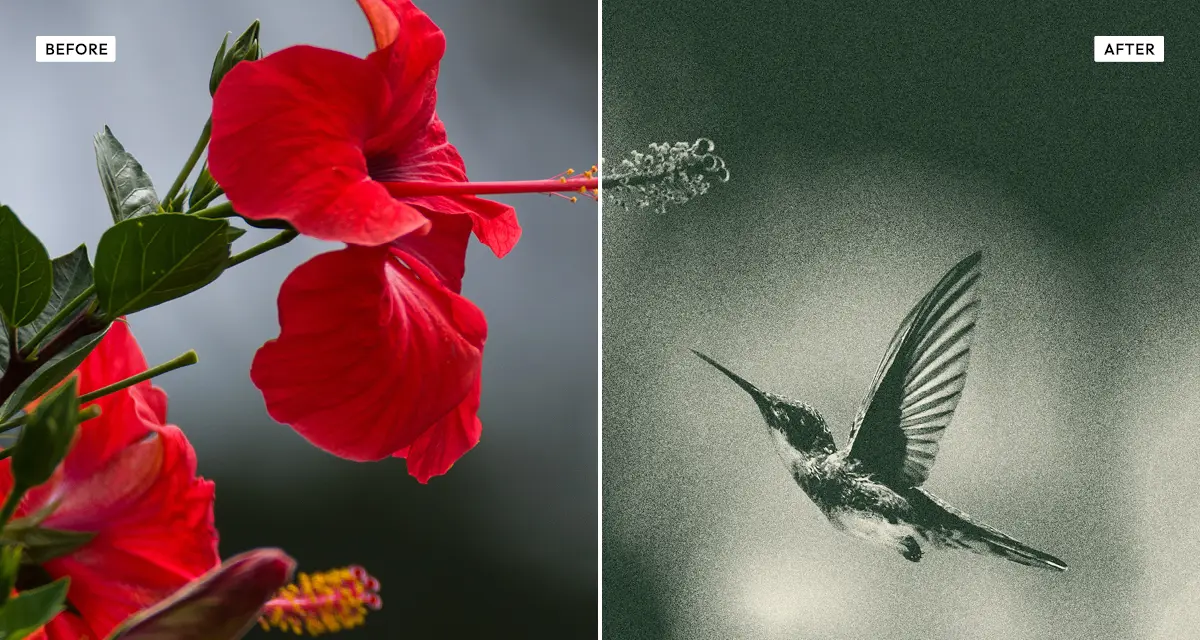 Risograin
The other duplicator. A risograph pushes one flat colour of ink through a stencil, so it shares the DIY family tree but keeps a colour where a copier keeps none.
Try the effect
-
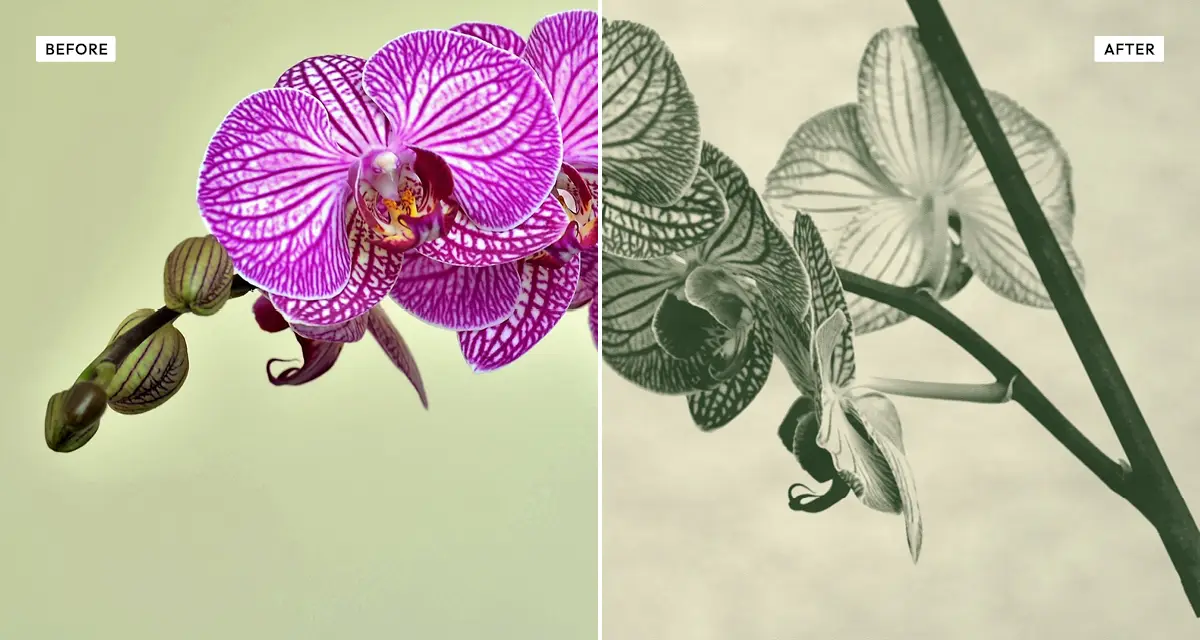 Old Newspaper
A coarse pattern of printed dots on yellowed paper — the same trick of building shades out of dots, but printed on a press rather than copied.
Try the effect
-
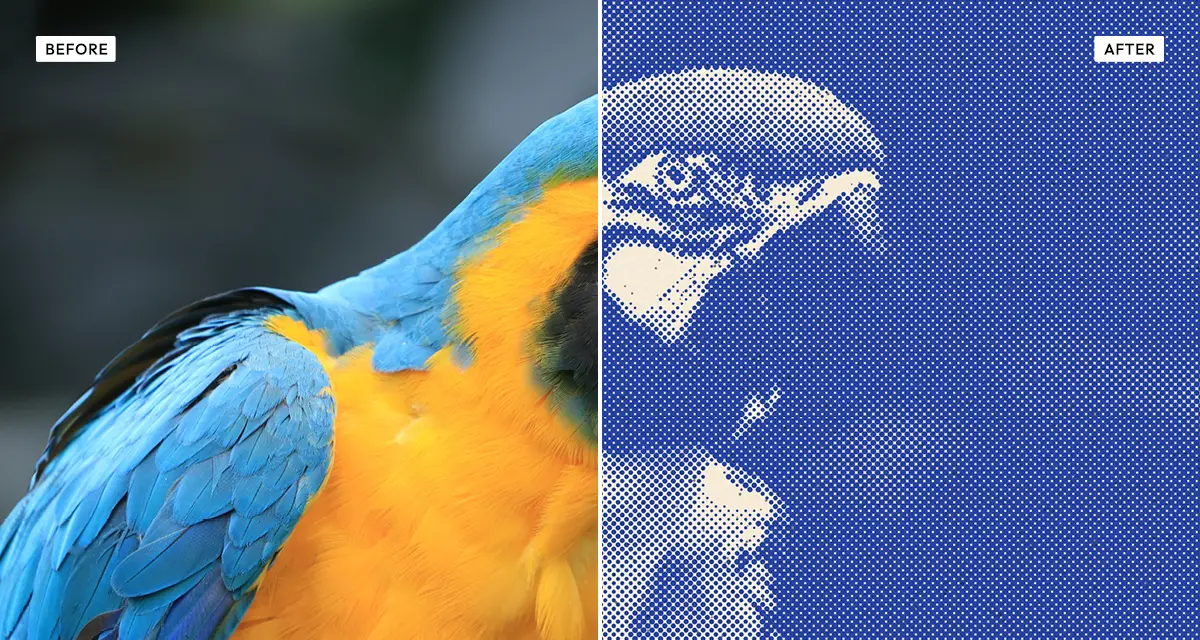 Duo Halftone
Shades built from dots in two colours instead of one black powder. The same idea as a copier — marks standing in for shades — done on purpose, and in colour.
Try the effect
-
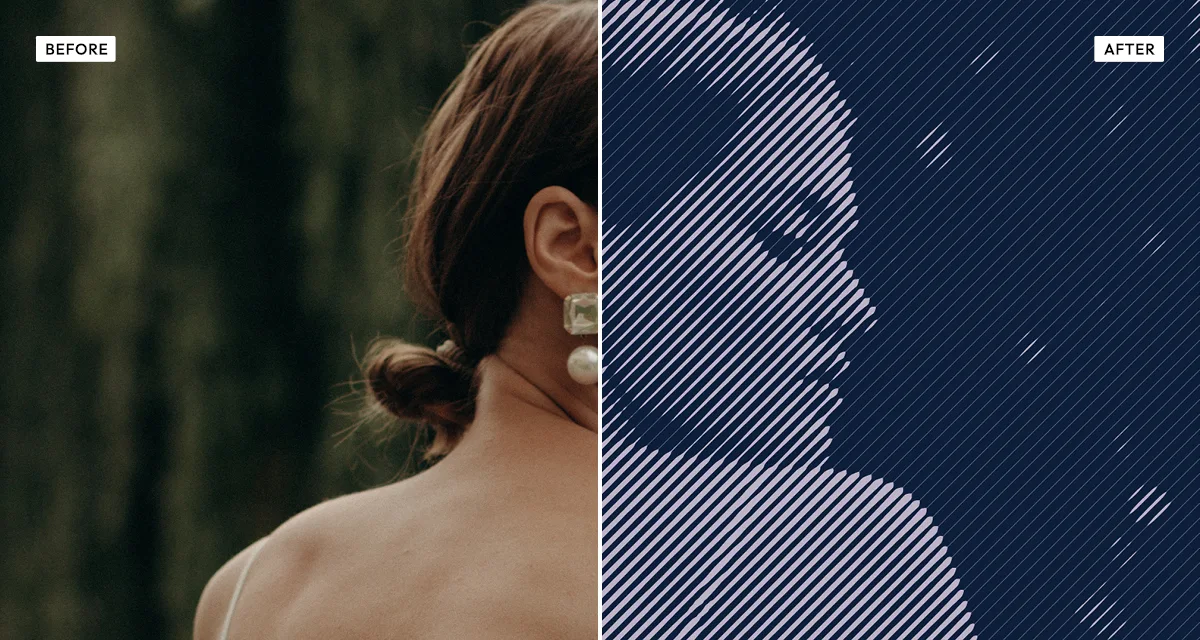 Engrave Halftone
Shades built from engraved lines instead of dots. Sharper and more deliberate than a copier, and the way to a banknote or certificate look.
Try the effect
Why there are no greys in a photocopy
At any one spot, the drum is either still holding its charge or it is not. There is no half-charge. So the dry toner either sticks there or it does not, and the machine has no way to lay down half as much powder to make a grey. Designers call this kind of all-or-nothing switch a threshold.
A photocopier cannot print grey. It prints black powder or leaves bare paper, and anything that looks grey is really small black marks with white gaps between them.
This is why soft, gradual shading is the first thing a photograph loses. A face in gentle light turns into a few flat shapes, skin texture vanishes, and the soft edge of a shadow becomes a hard line, because somewhere along that gradual change the machine crossed its cut-off point and switched from powder to nothing.
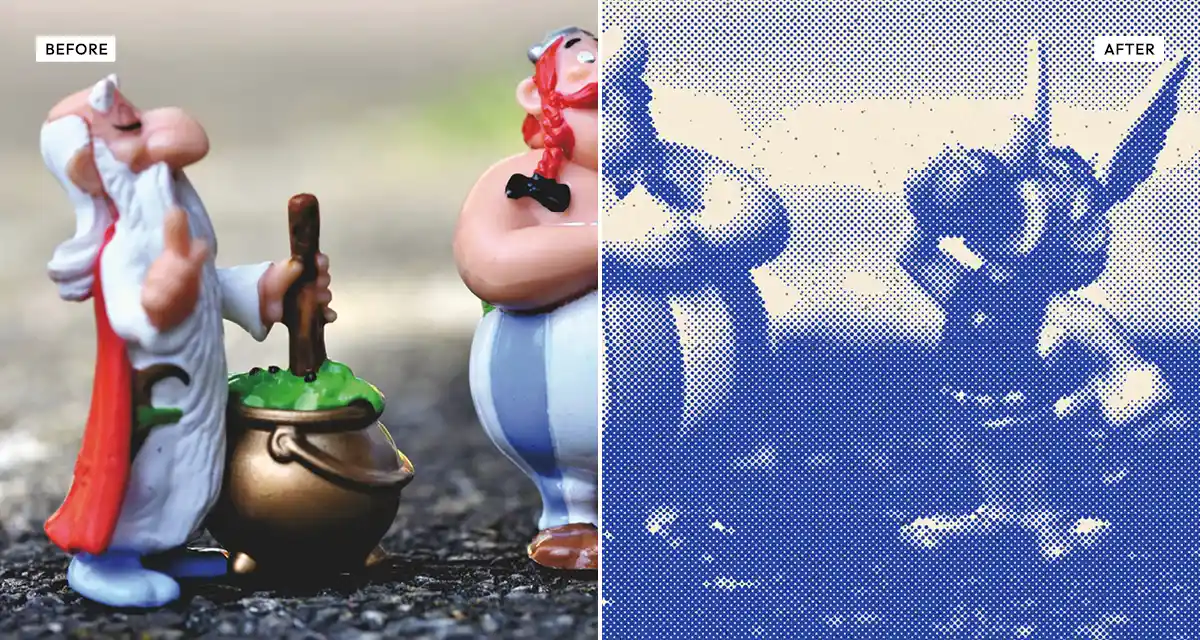
What are the grey parts of a photocopy made of?
Hold a photocopy close and the grey areas turn out not to be grey at all. They are patterns of small black marks with bare paper showing between them, and the coarser the pattern, the more obviously speckled the area looks. The pattern has a name: a dither.
Step back far enough and black dots on white paper simply read as grey. The grey happens in your eye, not on the page.
What is dither? Dither means mixing two colours in a pattern fine enough that the eye reads a third colour that is not really there. Here the two colours are black powder and white paper, and the third one is grey. It is the same trick as the dots in a newspaper photograph: the finer and more irregular the pattern, the smoother the shade it fakes, and the coarser it is, the more you see dots instead.
Those patterns get onto the page in two different ways. If you copy something that was already printed — a newspaper or a magazine page — the dots were put there by a printing press, and the copier is simply copying dots that already existed. If you copy a real photographic print, there are no dots to copy, so the pattern is one the copier creates itself as it decides, spot by spot, whether to put powder down.
Either way the pattern is fragile. It is the finest, most widely spaced marks that carry the lightest greys, and those are exactly the marks that disappear first.
Why a copy of a copy looks worse
The other half of the look comes from copying a copy. Each pass makes that same black-or-white decision all over again, but this time on a page that has already lost detail. The mistakes build on each other instead of cancelling out.
Each copy makes the same harsh decision again, on a page that has already lost detail. The damage adds up instead of evening out.
Dark areas that were nearly solid go completely solid. Faint dot patterns drop out altogether. Contrast climbs with every pass, until a photograph is reduced to a few black shapes on white — which is exactly the look of a flyer that was copied from a flyer that was copied from a magazine page.
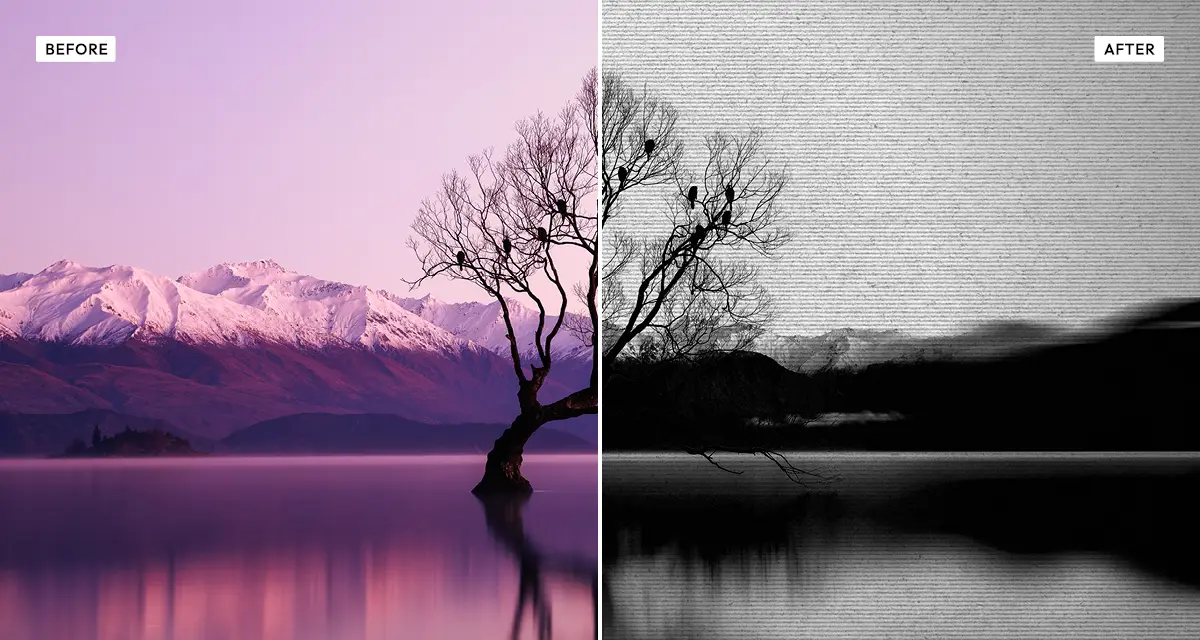
What causes photocopy streaks, bands and specks
Every mark on a photocopy is a machine going wrong, not a decision anyone made. A real copy has one or two of these faults, never all of them at once.
| What you see | What causes it |
|---|---|
| Vertical streaks | Powder sticking to a scratch on the drum, so the same mark prints on every sheet |
| Bands across the page | The drum turns once per sheet, so uneven charging shows up as repeating light and dark bands |
| A dark strip down one side | Copying from a book. The lid cannot close flat, so the dip beside the spine sits in shadow, and the machine reads shadow as black |
| Specks and dust | Dirt on the glass, copied just as faithfully as the page itself |
| Smearing or drag | The page moving slightly while it is being scanned, or a feeder pulling it unevenly |
| Lost mid-tones | The black-or-white cut-off itself. This one does most of the work |
These are worth knowing separately, because a convincing result uses two or three of them rather than all of them. A page with streaks and bands and a spine shadow and dust looks like a list of filters. A page with hard black-and-white contrast and one streak down it looks like a photocopy.
Why zines and punk flyers were photocopied
Nobody chose this look because it was beautiful. They chose it because there was a copy shop on the corner that charged pennies a sheet and asked no questions, at a time when the alternative was a commercial printer, a minimum order and a budget.
A copy shop charged pennies a sheet and asked no questions. Nearly everything that now reads as punk design started there.
That is why the look belongs to punk flyers, zines and mail art rather than to anything advertised. The blown-out contrast, the scraps glued together, the letters cut out of something else — all of it came from working quickly with a machine that flattened everything to black and white anyway. The limitation came first, and the style grew around it.
More printed and screened looks
A photocopier is one of several machines that build a picture out of marks instead of light. The halftone and print collection compares them side by side — printing presses, risograph duplicators, engraved lines and newsprint.
Frequently asked questions
How do I make a photo look like a photocopy?
Throw the middle shades away rather than just turning up the contrast. A photocopier cannot lay down half a dose of powder, so everything in between black and white collapses to one or the other, and that collapse is most of the look. Photocopy Scan does it in one step. Then add one or two mechanical faults — a vertical streak, a little darkening at the edges — rather than all of them at once.
Why do photocopies lose so much detail?
Because the machine has only two options at any point: put powder down, or leave the paper blank. The drum inside either holds its electrical charge at a given spot or it does not, so the toner either sticks or it does not, and nothing in between is possible. Gradual shading survives only as coarse patterns of dots, and every further copy makes those same all-or-nothing decisions again on an already damaged original, so the losses pile up.
Why do photocopies have black streaks down the page?
A scratch or mark on the drum inside holds powder where it should not, and because the drum turns once per sheet, the same flaw prints in the same place every time. A streak that repeats identically down a stack of copies is the classic sign.
Why is there a dark band when you photocopy a book?
The lid cannot close flat over a bound spine, so the page dips away from the glass and sits in shadow. The machine has no way of knowing that is a shadow rather than ink, so it treats it as dark and lays down powder accordingly.
What is the difference between a printer and a photocopier?
A photocopier copies a physical page: it lights up whatever you put on the glass and reproduces it. A printer prints a digital file sent from a computer, with no original page involved. Inside, a laser printer and a photocopier are close relatives — both use a charged drum and dry toner — which is why laser prints share some of the same hard, dotty quality. An inkjet is a different machine altogether: it sprays liquid ink in droplets of varying size, so it can get far closer to smooth, continuous shading than either. Most office machines now do both jobs in one box.
What is the difference between a photocopy and a risograph look?
A copier has one black powder and only two settings — powder or nothing — so it gives you hard contrast and no colour. A risograph pushes one flat colour of ink through a stencil at a time, so it keeps a colour, along with a grainy texture and edges that do not quite line up. Same DIY family, different machine.
Why did zines and punk flyers use photocopies?
Cost and access. A copy shop charged pennies a sheet and needed no minimum order, at a time when the alternative was a commercial printer and a budget. The look followed the limitation rather than the other way round.
The rest of the printed looks
A copier builds a picture from powder that either sticks or does not. A printing press builds one from dots of ink, a risograph from a single flat colour through a stencil, an engraver from lines. They are different machines solving the same problem — how to make a smooth photograph out of marks that are not smooth. The halftone and print collection compares them by the process each one is copying.