Drop an image here
or click to choose
JPG, PNG, WebP
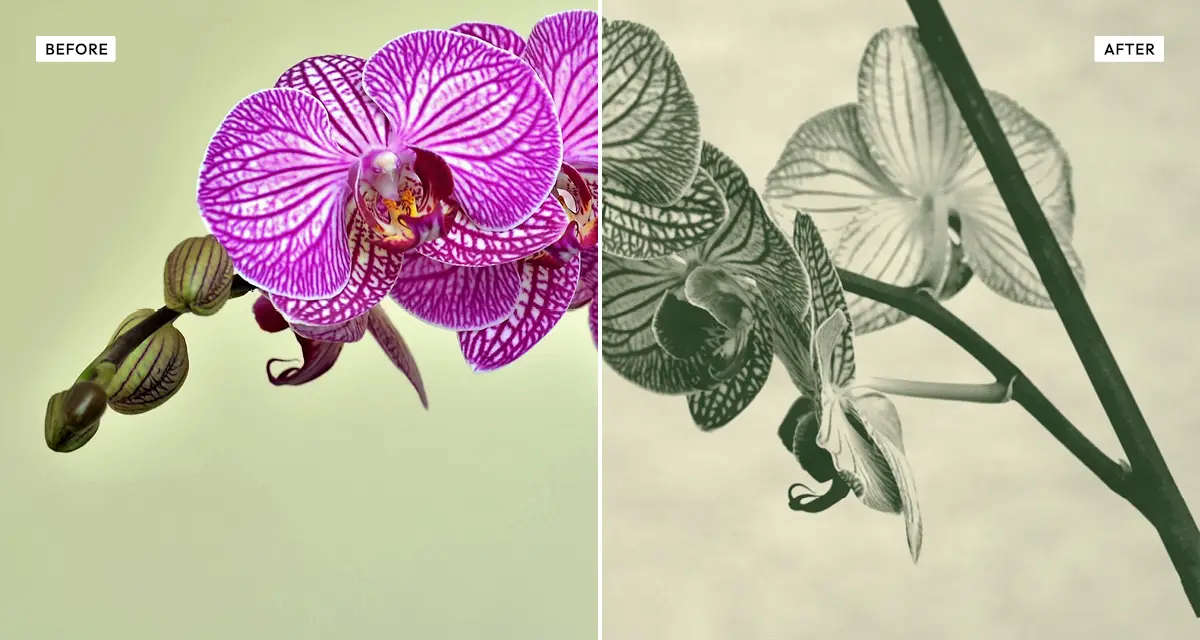
About the Old Newspaper Effect
Last updated 21 August 2026
How the effect works
Newsprint is the cheapest paper in commercial printing: absorbent, slightly grey, and full of visible fibre. Ink spreads on contact, so fine halftone dots merge and shadow detail fills in. Printers compensated by using a very coarse screen — often 65 to 85 lines per inch, against 150 or more for magazines — which is why a newspaper photograph shows obvious dots even at arm's length.
The Old Newspaper effect reproduces the chain: contrast is raised because newsprint loses midtones, softness imitates ink bleeding into absorbent stock, and the paper layers supply fibre, discolouration and speckle. Edge darkening mimics the way the outer sheets of an old newspaper yellow and darken first, from light and handling.
What each control does
| Control | Range | Default | What it changes |
|---|---|---|---|
| Contrast | −100 to +200 | 60 | Raised by default because newsprint loses midtones and needs a hard original. |
| Brightness | −100 to +100 | 10 | Slightly positive, since newsprint darkens overall as ink spreads. |
| Softness | 0–100 | 30 | Imitates ink bleeding into absorbent paper. This is what stops it looking digital. |
| Paper overlay | 0–100 | 65 | Strength of the scanned aged-paper background. |
| Paper texture | 0–100 | 25 | Visible paper fibre on top of the overlay. |
| Speckle | 0–100 | 40 | Stray ink marks and print noise across the sheet. |
| Edge darkening | 0–100 | 25 | Darkens the sheet edges, as light and handling age the outside of a newspaper first. |
Tips
- Do not set softness to zero. Sharp halftone dots on newsprint never existed — the ink always spread.
- Raise contrast if faces turn muddy. Newspaper originals were prepared with hard contrast for exactly this reason.
- Keep paper overlay above 50, or the result reads as a halftone filter rather than a printed page.
- Portraits and single strong subjects survive the coarse screen best; busy scenes turn to mush.
Common uses
Period and historical design, true-crime and documentary layouts, zines, collage and cut-up artwork, album covers, film and theatre posters, prop newspapers, and social posts that need to look archival.
Frequently asked questions
What is the Old Newspaper effect?
The Old Newspaper effect converts a photo into a coarse newsprint halftone printed on aged paper. It combines a wide dot screen, ink-spread softening, paper fibre texture and edge darkening to reproduce how photographs actually looked in old newspapers.
How do I make a photo look like a newspaper clipping?
Apply a coarse halftone screen, soften it so the ink appears to bleed, and lay it on aged paper texture. The softness is the part people skip: newsprint is absorbent, so ink spread on contact and sharp dots never existed. Keep paper overlay above 50 or it reads as a halftone filter rather than a printed page.
How do I make a prop newspaper for a film or photo shoot?
Export as lossless PNG rather than JPEG so the halftone dots stay crisp when you place the image into a page layout, and keep paper overlay high so the photograph matches the sheet it sits on. Raise edge darkening, since the outer sheets of an old newspaper yellow and darken first.
Is the Old Newspaper effect free to use?
Yes. The Old Newspaper effect is free, and you can adjust every setting and preview the result without signing up. Credits are only needed to download at full original resolution; the preview and standard-resolution download cost nothing.
Do I need to upload my photo?
No. The Old Newspaper effect runs entirely in your browser, so your original photo is processed on your own device and never leaves it. If you are signed in and save a full-resolution download, the rendered result — not your original — is stored in your private account folder, encrypted with AES-256, and deleted automatically after 30 days.
Why do old newspaper photos look so coarse?
Newsprint is absorbent, so ink spreads on contact and fine dots merge together. Printers used a very coarse halftone screen — often 65 to 85 lines per inch against 150 or more for magazines — because anything finer turned to mud. That coarse screen is why the dots are visible at arm's length.
Can I use the Old Newspaper effect to make a prop newspaper?
Yes, and it is a common use. Export as lossless PNG rather than JPEG so the halftone dots stay crisp when you place the image into a page layout, and keep paper overlay high so the photograph matches the sheet it is printed on.
Can I use the Old Newspaper effect on client or commercial work?
Yes. Images you create with the Old Newspaper effect can be used for personal and commercial projects, including client work, packaging and merchandise. Full terms are on the licence page.
Related effects
For two-colour print, see Duo Halftone. Photocopy Scan reproduces office photocopier grunge, Engrave Halftone uses etched lines instead of dots, and Vintage ages a photograph without printing it.