
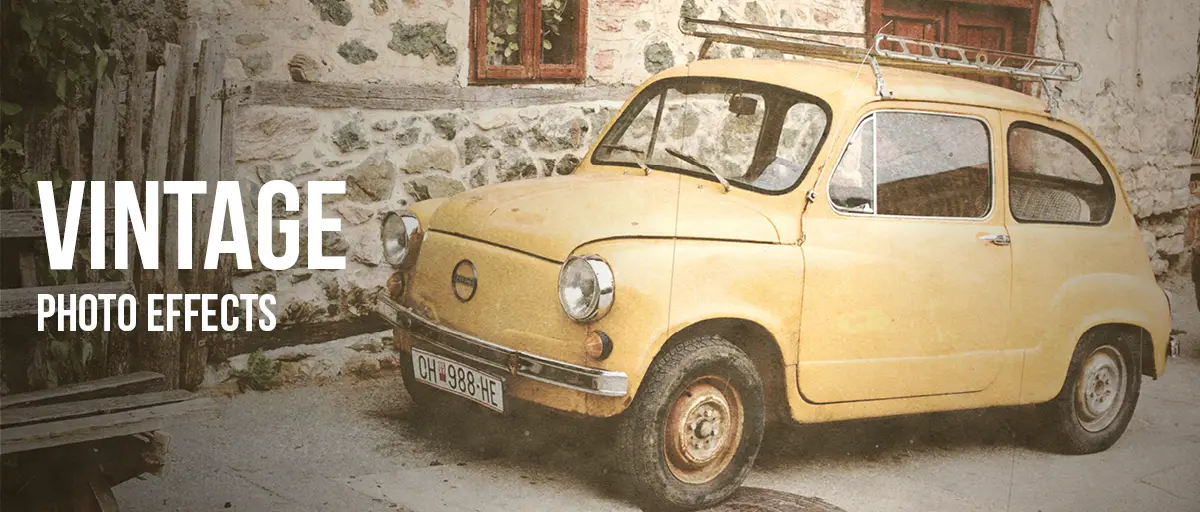
Old & Vintage Photo Effects
Below are seven filters for making a photograph look older — and the useful question is which kind of older: old film, an old print, or an old object.
Last updated 23 August 2026
A photograph ages in layers, and it helps to know which one you are actually picturing.
The colour goes first. Photographic dyes are not stable and they fade at different rates, with cyan usually the first to go — which is why old prints drift warm and pink rather than simply getting dimmer. At the same time the deepest tones lift, so shadows that were black settle into grey.
Then there is the film the picture was taken on. Grain is silver crystals, and faster film has larger ones, so a photo shot in poor light carries visibly more texture than one shot at noon. Push the development to rescue an underexposed frame and the grain grows coarser still while the shadows block up.
And then there is the print as an object. Paper fibre starts showing through the emulsion. Handling leaves scratches. Damp leaves stains. Dust settles into the surface and gets scanned along with everything else. None of this is colour, and none of it is grain — it is wear, and it accumulates for as long as the photograph exists.
A faded 1970s snapshot is mostly the first layer. Something found in an attic is mostly the third. A frame from a 35mm roll is mostly the second. Knowing which one you want is the whole decision — everything below follows from it.
Which one should you use?
Each of the seven has its own card further down the page, with a before and after, so you can judge them by eye rather than by description. The table sorts them by which layer of ageing they reproduce, which is the quickest way to rule out the ones you do not want.
| Effect | Best for | What it does |
|---|---|---|
| Polaroid | Instant prints, soft nostalgia | Warm cast, lifted blacks, low contrast — the chemistry of instant film |
| Vintage | Found photographs, damage | Five scanned textures: paper, scratches and stains layered over faded tone |
| Retro Analog Film | 35mm rolls, travel photos | Light leaks and halation, the faults of a real film camera |
| Old Bleach | Harsh, bleak, documentary | Desaturated AND high contrast at once — bleach bypass |
| Grainy Film Poster | Posters, record sleeves | Heavy push-processed grain with blocked blacks and blown highlights |
| Texturizer | Full control over damage | Eleven scanned surfaces and six blend modes, applied on your terms |
| Old Newspaper | Archival, period design | Coarse newsprint halftone printed onto aged paper |
Every effect in this group
-
 Polaroid
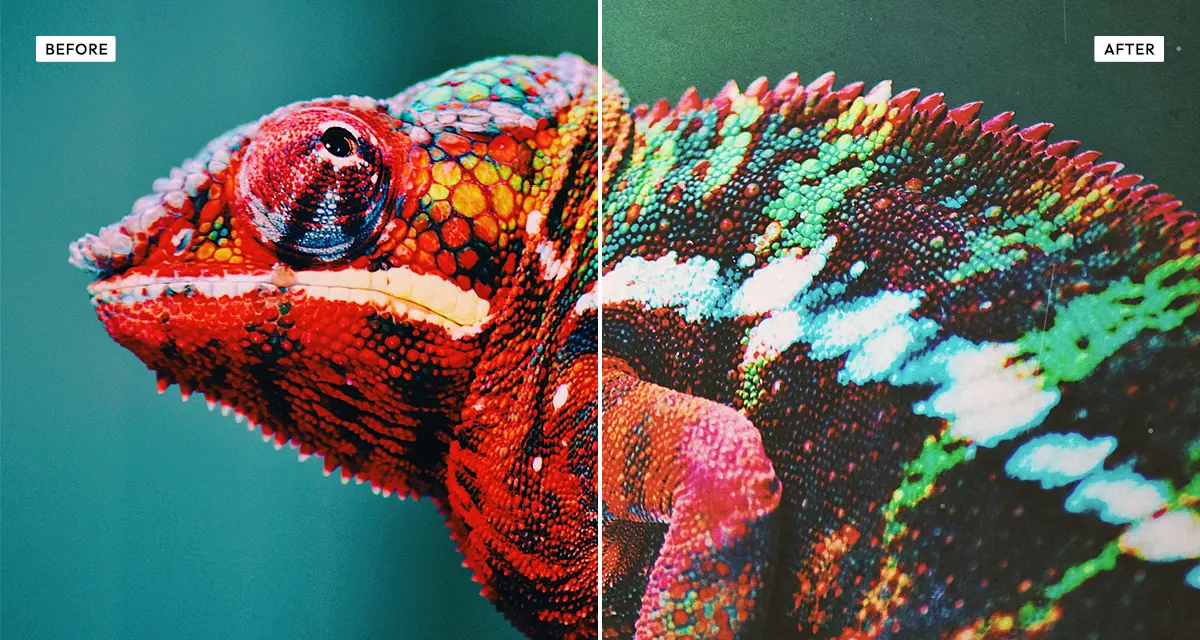
The gentlest of the seven. Warm, faded, low contrast, a bit of dust and grain — old film rather than old damage. Start here if you want nostalgic and not ruined.
Try the effect
Polaroid
The gentlest of the seven. Warm, faded, low contrast, a bit of dust and grain — old film rather than old damage. Start here if you want nostalgic and not ruined.
Try the effect
-
 Vintage
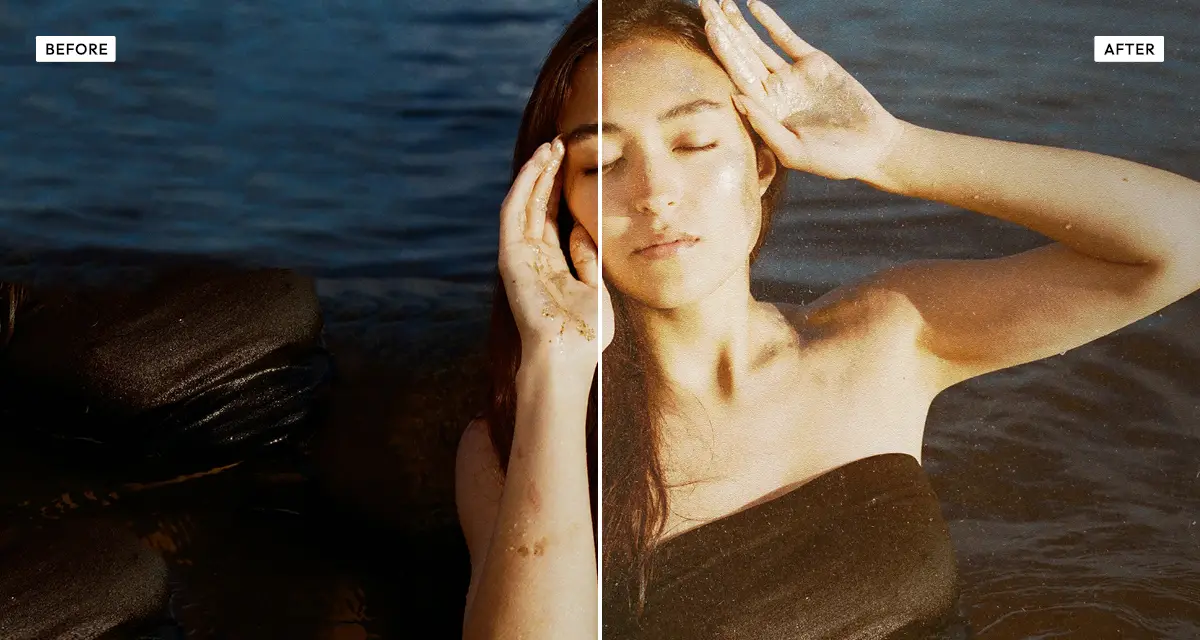
Puts real wear on top of the faded colour, using five scanned textures you can dial in one at a time. This is the one for when the photo should look like an object that has survived something.
Try the effect
Vintage
Puts real wear on top of the faded colour, using five scanned textures you can dial in one at a time. This is the one for when the photo should look like an object that has survived something.
Try the effect
-
 Retro Analog Film
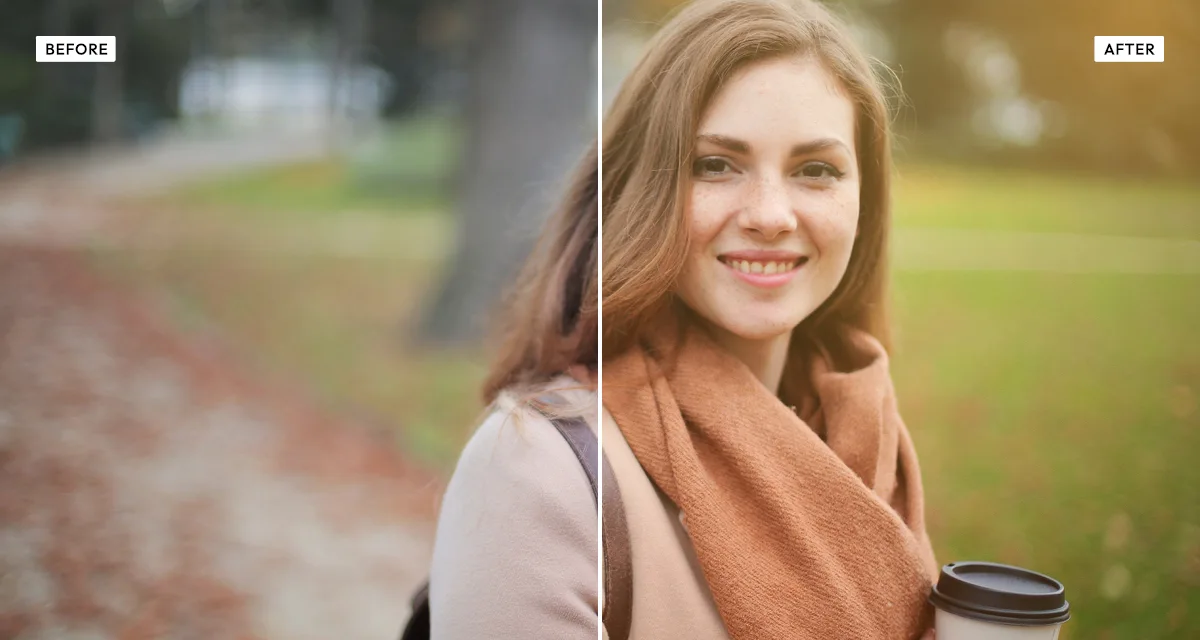
Straight 35mm colour negative: warm cast, grey shadows, and a light leak burned across one edge. The leak is the giveaway. It is what says "film camera" instead of "filter".
Try the effect
Retro Analog Film
Straight 35mm colour negative: warm cast, grey shadows, and a light leak burned across one edge. The leak is the giveaway. It is what says "film camera" instead of "filter".
Try the effect
-
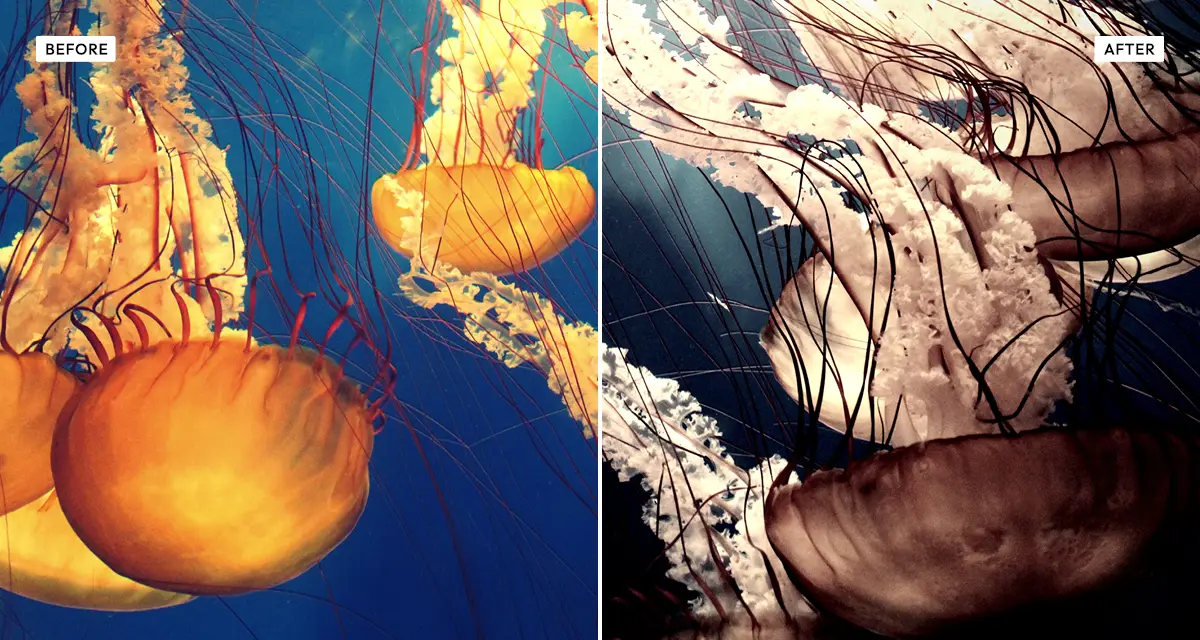 Old Bleach
Washed out and brutally contrasty at the same time, which is a combination you cannot get by pulling normal sliders. Great for bleak and documentary. Rough on faces, which it does not flatter.
Try the effect
Old Bleach
Washed out and brutally contrasty at the same time, which is a combination you cannot get by pulling normal sliders. Great for bleak and documentary. Rough on faces, which it does not flatter.
Try the effect
-
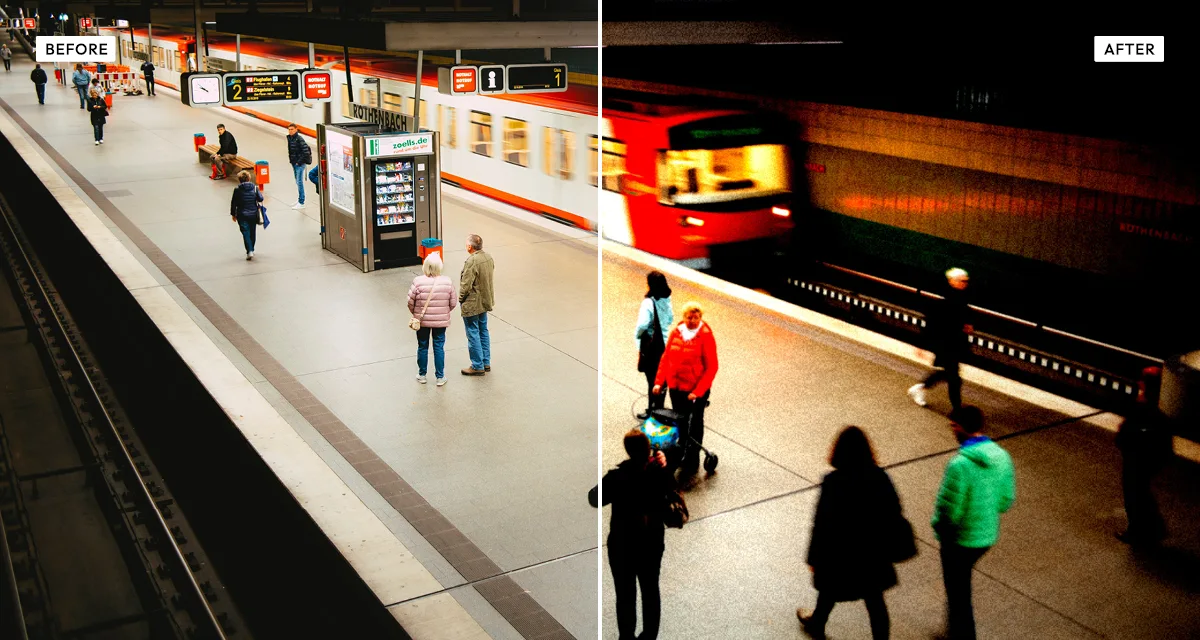 Grainy Film Poster
Big, heavy grain from pushed film, shadows crushed to black, highlights gone white. Built for print, where grain survives being blown up and a clean file just looks sterile.
Try the effect
Grainy Film Poster
Big, heavy grain from pushed film, shadows crushed to black, highlights gone white. Built for print, where grain survives being blown up and a clean file just looks sterile.
Try the effect
-
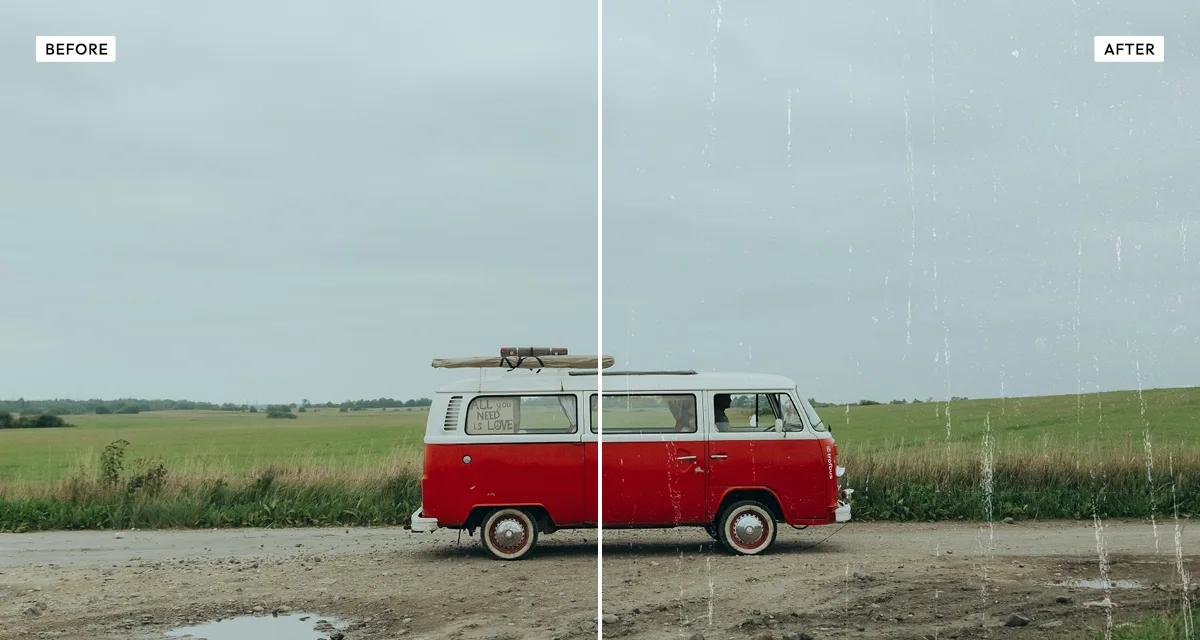 Texturizer
Less a preset than a box of parts: eleven scanned surfaces, six blend modes, however much you want. Reach for it when none of the others give you the exact damage you had in your head.
Try the effect
Texturizer
Less a preset than a box of parts: eleven scanned surfaces, six blend modes, however much you want. Reach for it when none of the others give you the exact damage you had in your head.
Try the effect
-
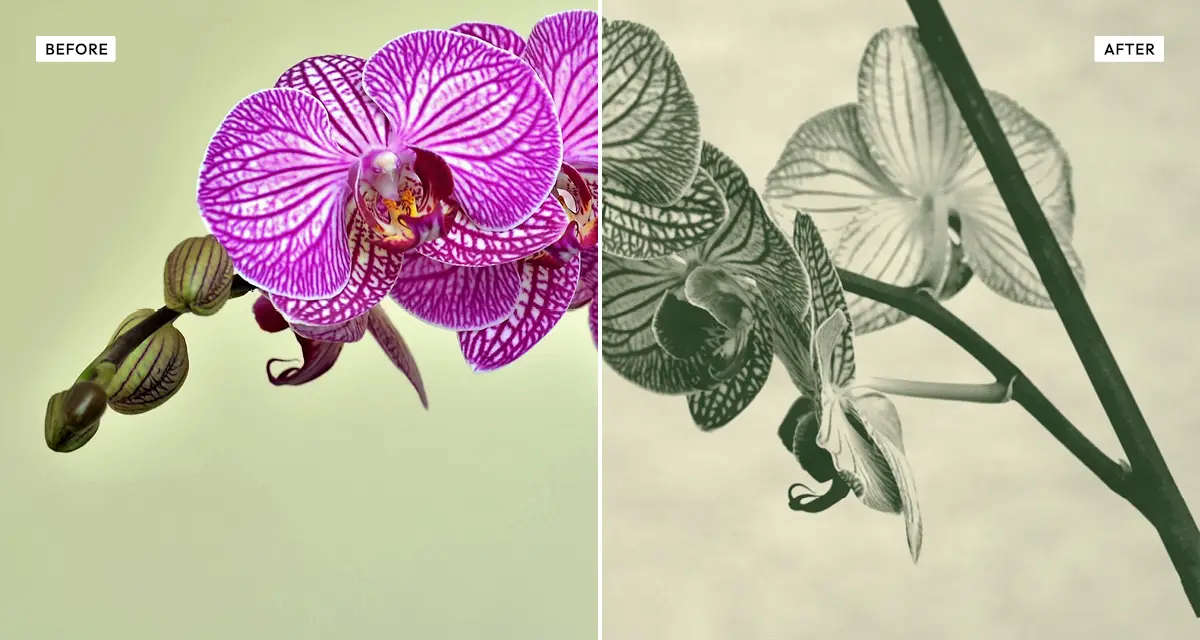 Old Newspaper
Takes ageing all the way into print — chunky halftone dots, ink bleeding into cheap paper, the whole thing gone yellow. Less an old photograph, more an old page.
Try the effect
Old Newspaper
Takes ageing all the way into print — chunky halftone dots, ink bleeding into cheap paper, the whole thing gone yellow. Less an old photograph, more an old page.
Try the effect
How to choose, and what to avoid
Start with what you are copying.
Old film means Polaroid or Retro Analog Film. An old object means Vintage or Texturizer. Something printed means Old Newspaper. And if you want a mood rather than an age, that is Old Bleach or Grainy Film Poster.
Do not stack them.
Running a photo through three ageing effects will not make it look three times older. It will make it look processed. Each of these already does several things at once, and layering them mostly eats the tonal range they all depend on.
Keep Old Bleach and Grainy Film Poster away from portraits.
Unless harshness is the whole idea — both of them push skin texture hard. If you want a face that still looks good but clearly looks old, Polaroid is the safe bet, or Warm Portrait if you want the warmth without the age.
If it still looks like a filter, you are missing the surface.
Colour on its own almost never sells it. A little bit of texture or grain — even 15 or 20 — does more than another round of warmth, because it gives the eye the physical evidence that colour grading simply cannot fake.
Frequently asked questions
How do I make a photo look old?
Work out which kind of old you mean first. For old film, warm the colour and lift the blacks so the shadows go grey — that is Polaroid. For an old object, layer scanned paper and scratches over the top, which is Vintage. Colour on its own rarely convinces anyone; the surface damage is what sells it.
What is the difference between vintage and retro photo effects?
In normal conversation, nothing — they are the same word. Here the split is about what is being copied: Vintage puts physical wear on an old object, while Retro Analog Film copies the faults of a film camera, like light leaks and halation, on an otherwise clean image.
Which vintage filter is best for portraits?
Polaroid. It ages the colour without dragging skin texture up with it, because instant film is naturally low contrast. Keep Old Bleach and Grainy Film Poster off faces — both raise contrast hard, and that makes pores, lines and blemishes far more obvious than they were in the original.
Can I combine two vintage effects on the same photo?
You can — download from one, load that file into the next — but it rarely pays off. Each effect already bundles several changes together, so stacking squeezes the tonal range twice. What you usually get is a muddy image that looks heavily edited rather than genuinely old.
Are these vintage photo effects free?
Yes. Every effect here is free at any setting, no account needed, and your photo is processed in your browser instead of being uploaded. Credits only come into it if you want to download at full original resolution — previewing and standard-resolution download cost nothing.
What is the best free vintage photo editor?
If you are after one specific look, a single-purpose tool beats a big editor every time: you get the controls that matter for that look and nothing else in the way. These seven each do one kind of ageing properly rather than hiding behind one generic "vintage" slider, and they all run in the browser with no signup.