Drop an image hereor click to chooseJPG, PNG, WebP
About the Risograin Flattener Effect
Last updated 21 August 2026
How the effect works
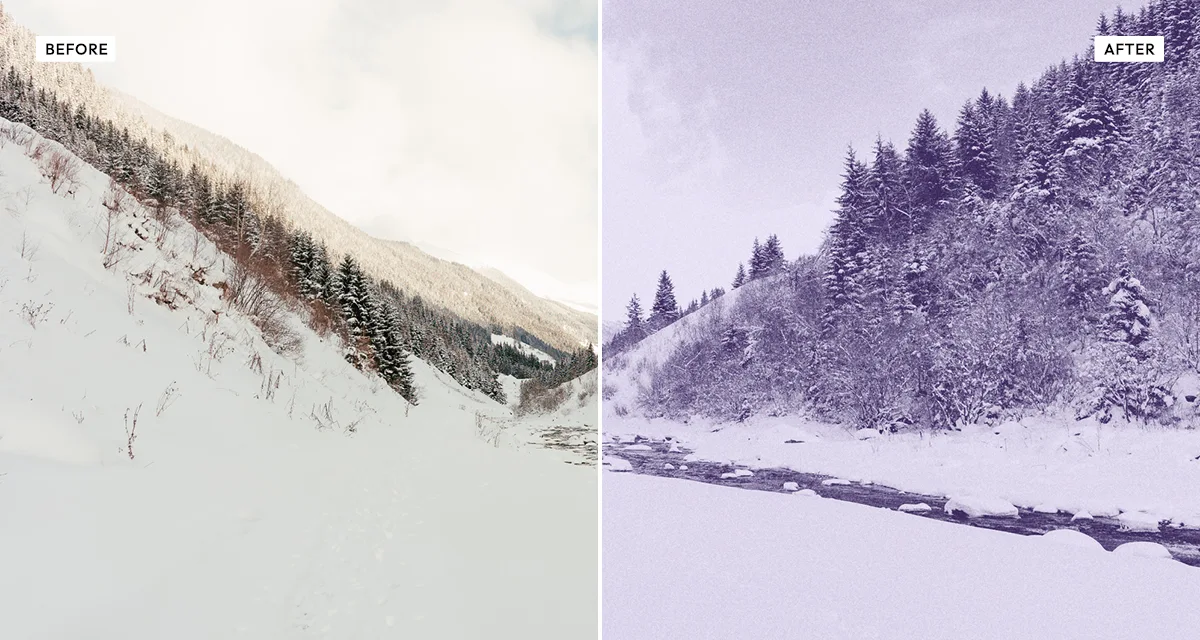
A risograph drum prints one flat colour. It cannot vary ink density, so every tone between paper-white and full ink has to be faked with dots and grain. Push the source image hard enough and most of those midtones collapse anyway, leaving large flat areas of solid ink against bare paper — which is exactly the look zine and poster printers work toward, because it survives the process instead of turning to mud.
The flattener does that collapsing deliberately. Strength at 100 flattens the image almost completely, so what remains is shape rather than tone, and contrast decides where the boundary between ink and paper falls. It is a more aggressive treatment than the standard risograin effect, and it suits bold graphic subjects far better than detailed photographs.
Grain sits at 60 with a large particle size by default, because on a flattened image grain is doing all the work that tone used to. Without it the result reads as a crude threshold; with it, it reads as ink on paper.
What each control does
| Control | Range | Default | What it changes |
|---|---|---|---|
| Tint | ink colour | — | The single ink the image is printed in. |
| Contrast | −50 to +200 | 40 | Where the boundary between ink and bare paper falls. The main compositional control. |
| Brightness | −100 to +100 | 0 | Shifts that boundary up or down across the whole image. |
| Strength | 0–100 | 100 | How completely tone is flattened. At 100 only shape survives; lower keeps some gradation. |
| Grain | 0–100 | 60 | High by default — on a flattened image, grain does the work tone used to. |
| Grain size | 0–100 | 20 | Larger than the standard risograin effect, matching a coarser single-ink run. |
Tips
- Use bold, simple subjects. A portrait with a clear silhouette flattens well; a detailed landscape becomes an unreadable blob.
- Contrast is your main compositional tool here, not brightness. It decides which parts of the image become ink and which become paper.
- If the result is too abstract, drop strength to around 70 — some surviving gradation makes the subject readable again.
- Keep grain size above 15. Fine grain on a flattened image reads as digital dithering rather than ink.
Common uses
Zine covers, gig and event posters, screen-print artwork, t-shirt graphics, sticker and patch design, album sleeves, and any piece that should look like a single-colour print run.
Frequently asked questions
What is the risograin flattener?
The risograin flattener reduces a photograph to a single flat ink colour with heavy grain, discarding most tonal detail. It reproduces a one-colour risograph run where the original was pushed hard before printing, so shape survives and gradation does not.
How do I turn a photo into a one-colour graphic?
Raise strength to 100 so tone collapses almost entirely, leaving shape rather than gradation. Contrast then becomes your main compositional control, deciding which parts of the image become solid ink and which become bare paper. Use bold subjects with a clear silhouette; detailed scenes turn to mush.
How do I make artwork for a screen print or t-shirt?
Flatten the photograph to a single ink so there are no midtones for the screen to lose, and export as lossless PNG so edges stay crisp when the printer separates the file. The other print processes are compared on the halftone and print effects page.
Is the risograin flattener effect free to use?
Yes. The risograin flattener effect is free, and you can adjust every setting and preview the result without signing up. Credits are only needed to download at full original resolution; the preview and standard-resolution download cost nothing.
Do I need to upload my photo?
No. The risograin flattener effect runs entirely in your browser, so your original photo is processed on your own device and never leaves it. If you are signed in and save a full-resolution download, the rendered result — not your original — is stored in your private account folder, encrypted with AES-256, and deleted automatically after 30 days.
What is the difference between Risograin and the Risograin Flattener?
Risograin keeps the tonal detail of your photograph and renders it in one ink with grain and posterisation. The flattener goes much further, collapsing tone almost entirely so only shape remains. Use Risograin for a photographic result and the flattener for a bold graphic one.
Which photos work best with the flattener?
Images with a strong silhouette and clear separation between subject and background. A portrait against a plain wall, a building against sky, a single object on a table. Detailed scenes with many midtones collapse into an unreadable shape, because flattening removes exactly the information that held them together.
Can I use the risograin flattener on client or commercial work?
Yes. Images you create with the risograin flattener effect can be used for personal and commercial projects, including client work, packaging and merchandise. Full terms are on the licence page.
Related effects
For risograph printing that keeps tonal detail, see Risograin. Duo Halftone prints in two inks with visible dots, Engrave Halftone uses etched lines, and Photocopy Scan reproduces toner grunge.