
Portrait Photo Effects
Transform a portrait with film, vintage, newsprint, halftone, risograph, duotone or monochrome — fourteen effects that work on faces, from soft analog portraits to graphic print treatments.
Last updated 23 August 2026
Portraits are less forgiving than other subjects, because most effects were built for a scene rather than a face. An effect that adds drama to a landscape can leave a face looking harsh, over-textured or simply unnatural: contrast exaggerates pores and skin texture, grain that reads as atmosphere across a wide shot becomes a distraction on a portrait, and a strong print treatment can bury the features altogether. So the question is not only which look you want, but how much the face can take.
Faces sit almost entirely in the midtones. Anything that stretches the midtones — contrast, clarity, heavy grain — lands on skin first and hardest.
That is why the effects below are grouped rather than listed. Some are safe on any face and need no thought. Some are safe if you keep the sliders low. And some are not really about the face at all — they treat the portrait as raw material for a graphic, which is a completely different job with completely different rules.
Work out which of those three you are doing before you start, because the settings that make a flattering portrait and the settings that make a good poster are opposites.
Which one should you use?
The table sorts the fourteen by how they treat skin — that is the axis that matters on a face, and the one no other page on this site sorts by. Cards for every effect follow underneath, grouped by look.
| Effect | Best for | What it does |
|---|---|---|
| Warm Portrait | Any face, any light | Golden-hour warmth without pushing contrast |
| Polaroid | Soft, nostalgic portraits | Low contrast by nature, plus film texture, dust and grain |
| Retro Analog Film | Shot-on-film portraits | Warm cast and light leaks, moderate grain |
| Vintage | Aged, found-photograph portraits | Texture sits over the face — keep it subtle |
| Dramatic B&W | Classic monochrome portraits | Channel mixer lets you protect skin while darkening the background |
| Duotone | Profile pictures, covers | Flattens skin to one colour ramp — hides texture entirely |
| Engrave Halftone | Etched, formal portraits | Replaces skin with ruled lines |
| Duo Halftone | Pop-art portraits | Rebuilds the face from two-colour dots |
| Risograin | Poster and zine portraits | One flat ink with heavy grain |
| Old Newspaper | Press and archive portraits | Coarse newsprint dots on yellowed paper |
| Reeded Glass | Obscured, anonymous portraits | Slices the face into refracted ribs |
| Prismatic Light | Dreamlike, atmospheric | Flare and colour fringing over the face |
| Photocopy Scan | Punk, zine, degraded | Threshold black and white with toner streaks |
| Coolage | Collage and montage portraits | Fragments the face into overlapping pieces |
Every effect that works on a face
Warm and flattering
Low contrast, warm colour, nothing that lands hard on skin. Start here if the person in the photo should still look like themselves — family photos, weddings, anything someone will be pleased to be sent. Both push toward the sunlit look people mean when they call a photo warm: golden light across the face, soft shadows, no hard edges anywhere. If the portrait was shot in flat or cold light, this is the group that repairs it rather than disguising it.
-
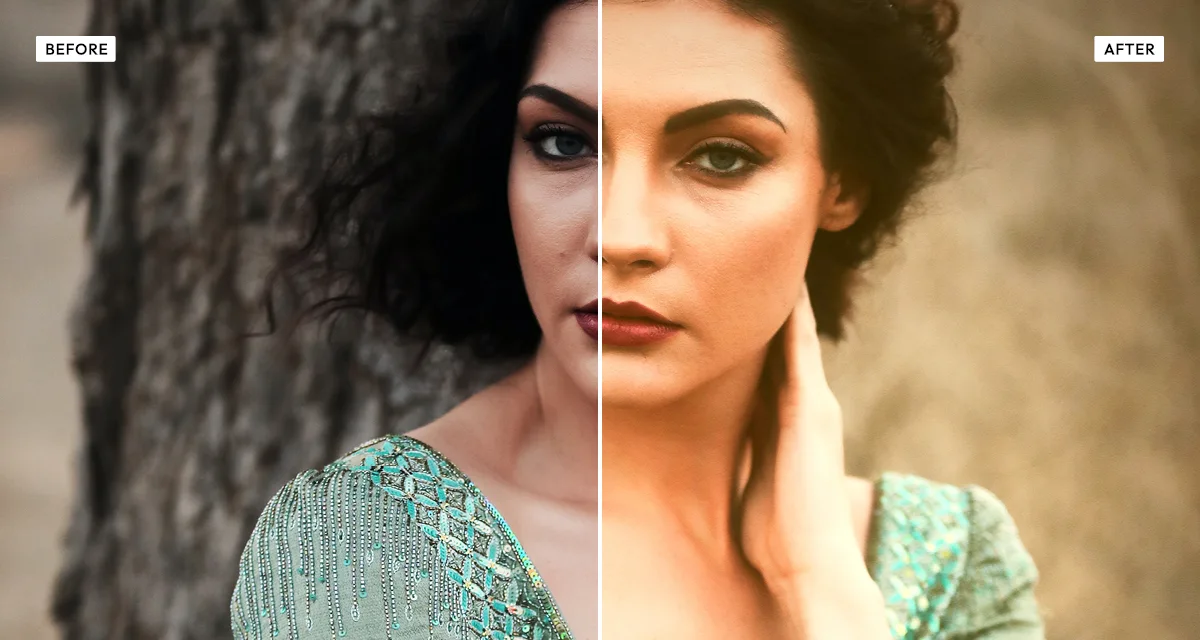 Warm Portrait
Built for this exact job. Golden-hour warmth with skin tones protected, so you can push the light without turning anyone orange.
Try the effect
Warm Portrait
Built for this exact job. Golden-hour warmth with skin tones protected, so you can push the light without turning anyone orange.
Try the effect
-
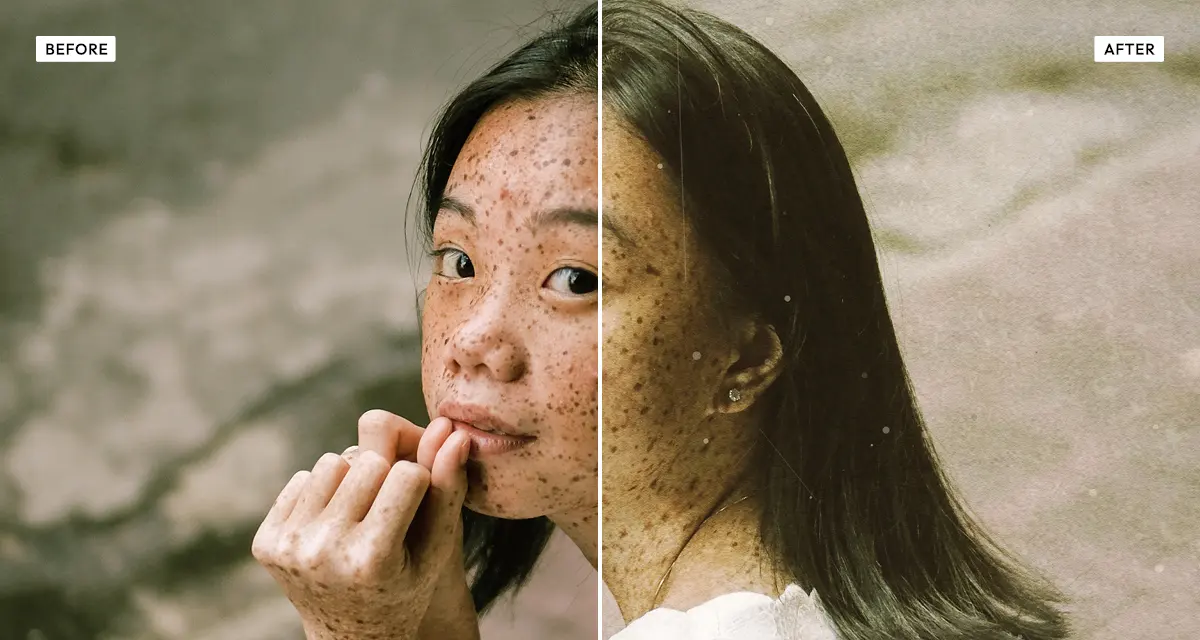 Polaroid
Instant film is a low-contrast medium, which makes it the gentlest thing you can do to a face. Warm, faded and forgiving, with scanned film texture, dust and grain laid over the top — the physical side of an instant print, not just its colour.
Try the effect
Polaroid
Instant film is a low-contrast medium, which makes it the gentlest thing you can do to a face. Warm, faded and forgiving, with scanned film texture, dust and grain laid over the top — the physical side of an instant print, not just its colour.
Try the effect
Film and analog
Portraits that should look shot rather than edited. Grain and a warm cast do most of the work; the giveaway is usually a light leak or visible texture, not the colour. Both stay moderate enough for faces at their default settings, but this is the group where the texture sliders matter most — wear that suits a landscape can look like damaged skin. Keep them low and the portrait looks like film; push them and it looks like a filter.
-
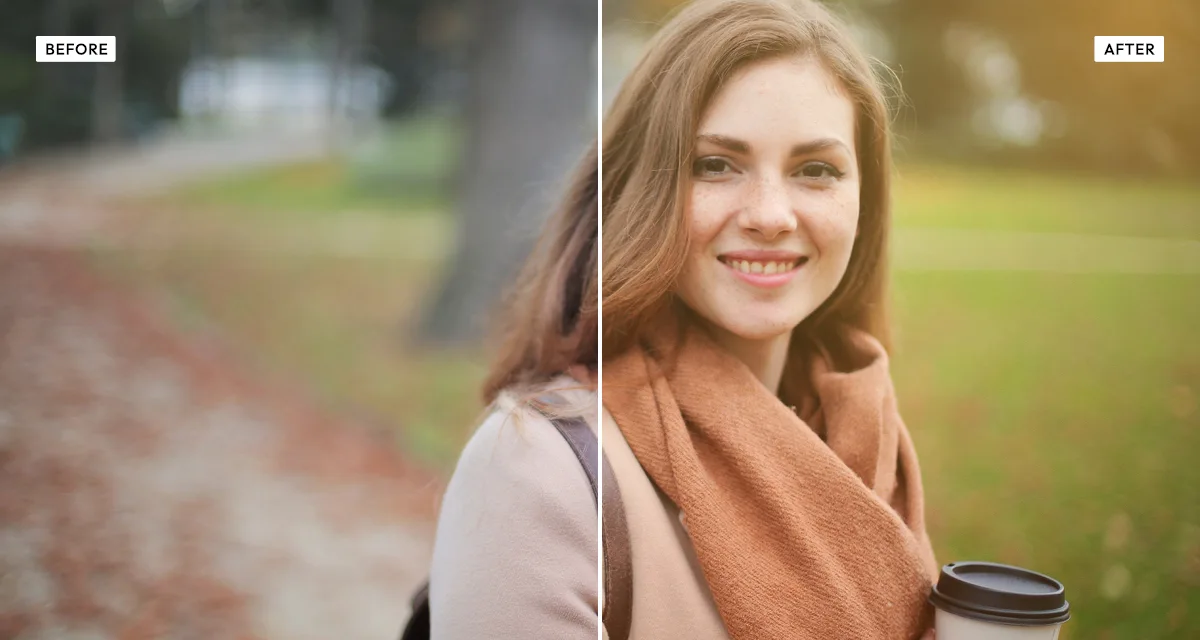 Retro Analog Film
Warm 35mm rendering with grey shadows and a light leak across one edge. Moderate grain, so it stays kind to skin at normal settings.
Try the effect
Retro Analog Film
Warm 35mm rendering with grey shadows and a light leak across one edge. Moderate grain, so it stays kind to skin at normal settings.
Try the effect
-
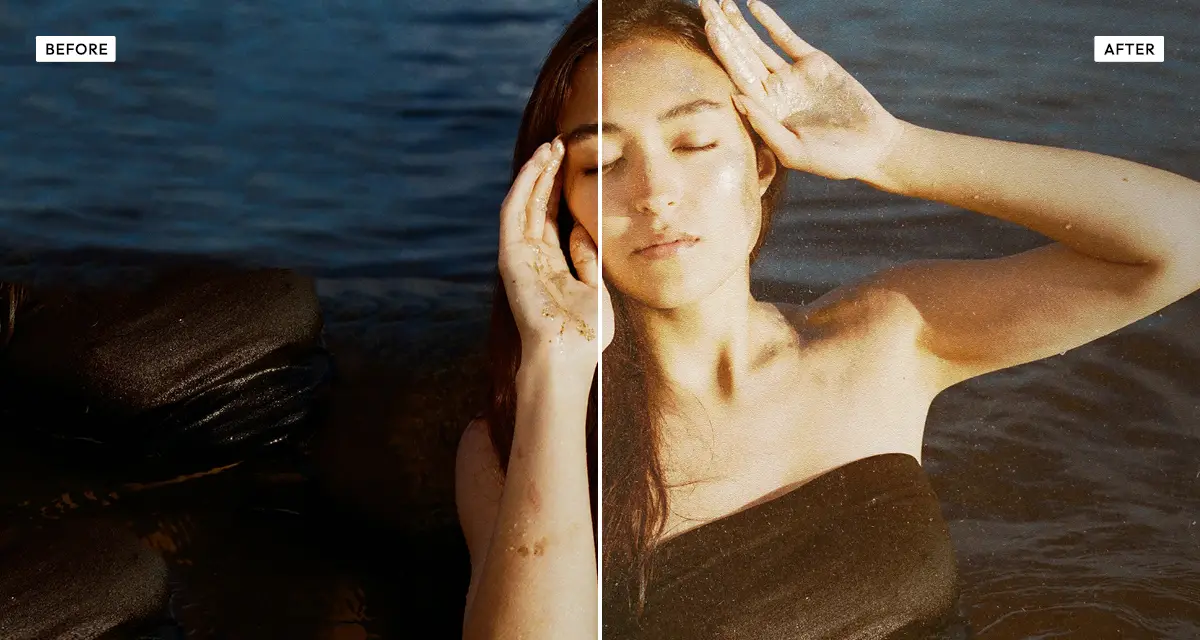 Vintage
Adds paper texture, scratches and stains over a faded image. Keep the texture sliders low on a face — wear that suits a landscape can look like damaged skin.
Try the effect
Vintage
Adds paper texture, scratches and stains over a faded image. Keep the texture sliders low on a face — wear that suits a landscape can look like damaged skin.
Try the effect
Graphic and printed
Here the portrait stops being a photograph and becomes artwork. Skin texture disappears entirely, which is why these are so forgiving — and why they suit profile pictures, covers and posters more than they suit a family album. What you give up is likeness: the more a face is rebuilt from dots, lines or flat colour, the less it looks like one particular person. That is a fair trade for a poster and a poor one for a portrait somebody commissioned. Old Newspaper is the outlier here: it is doing the same thing to the face, but the reference is a press clipping rather than a designed object.
-
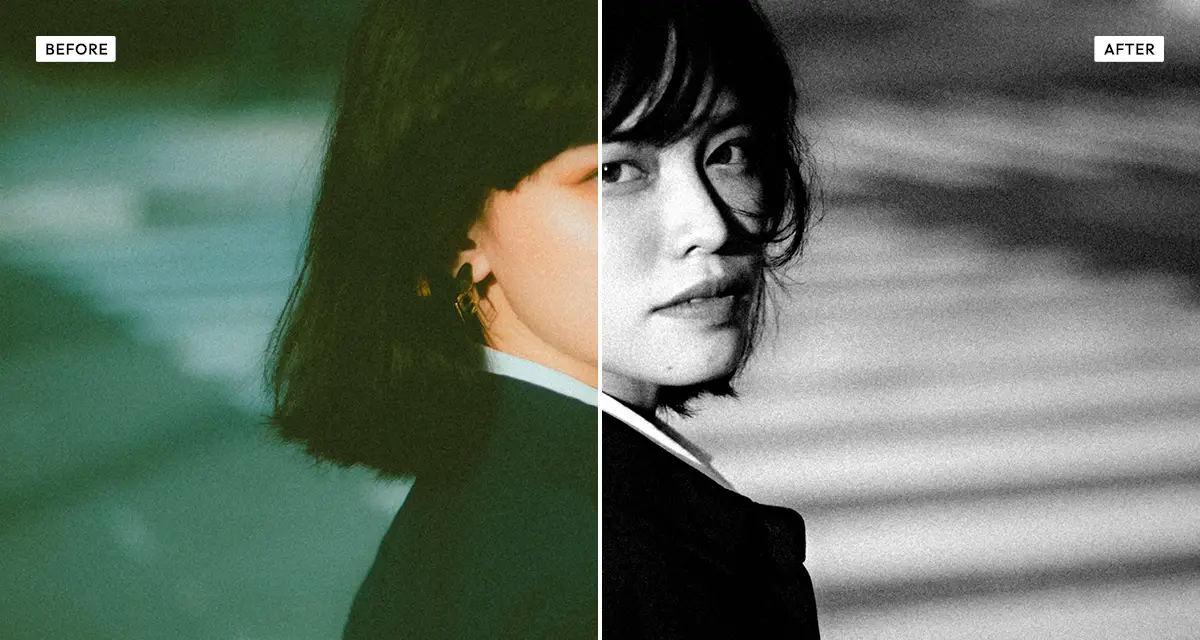 Dramatic Black & White
The channel mixer is the reason to use this one on faces: raise red and skin stays clean while a blue sky goes dark. No preset can do both at once.
Try the effect
Dramatic Black & White
The channel mixer is the reason to use this one on faces: raise red and skin stays clean while a blue sky goes dark. No preset can do both at once.
Try the effect
-
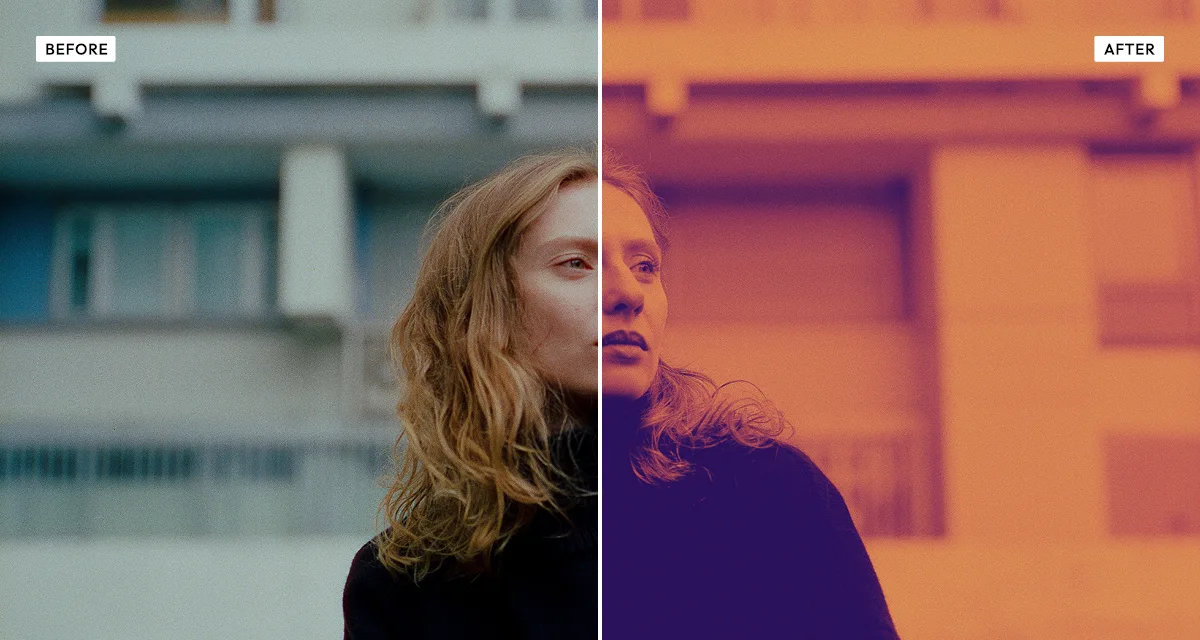 Duotone
Two colours and nothing else, so skin flattens to a single ramp and every blemish goes with it. The most reliable way to make a portrait look designed.
Try the effect
Duotone
Two colours and nothing else, so skin flattens to a single ramp and every blemish goes with it. The most reliable way to make a portrait look designed.
Try the effect
-
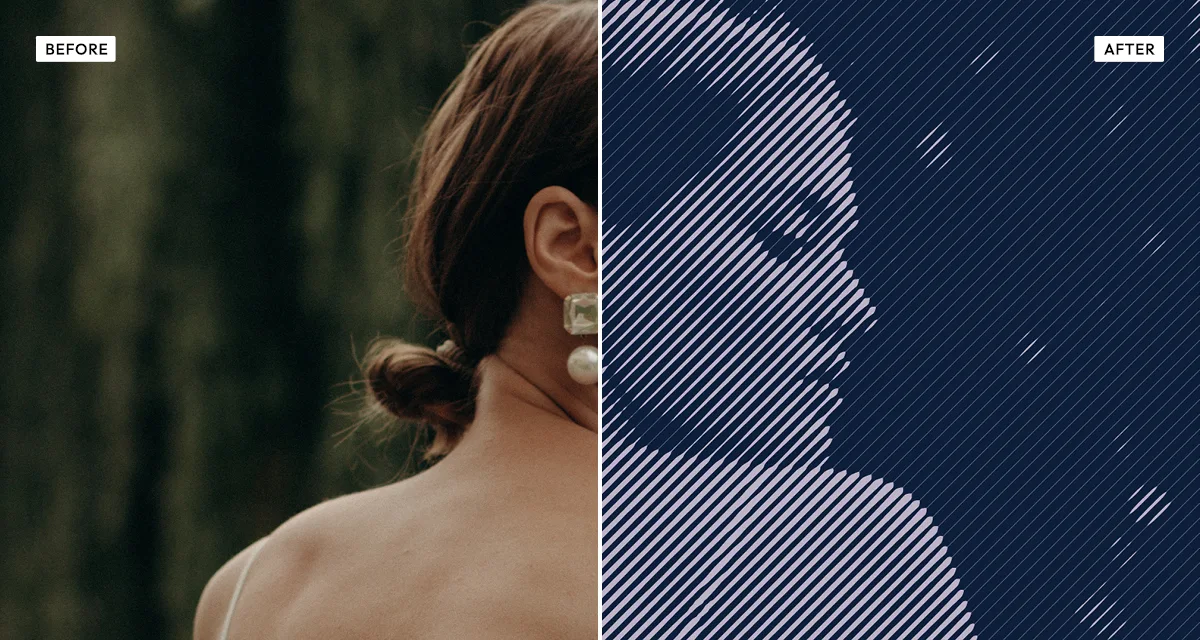 Engrave Halftone
Rebuilds the face from ruled lines that thicken with tone, the way an engraver cut a banknote portrait. Formal, old-fashioned, and completely indifferent to skin.
Try the effect
Engrave Halftone
Rebuilds the face from ruled lines that thicken with tone, the way an engraver cut a banknote portrait. Formal, old-fashioned, and completely indifferent to skin.
Try the effect
-
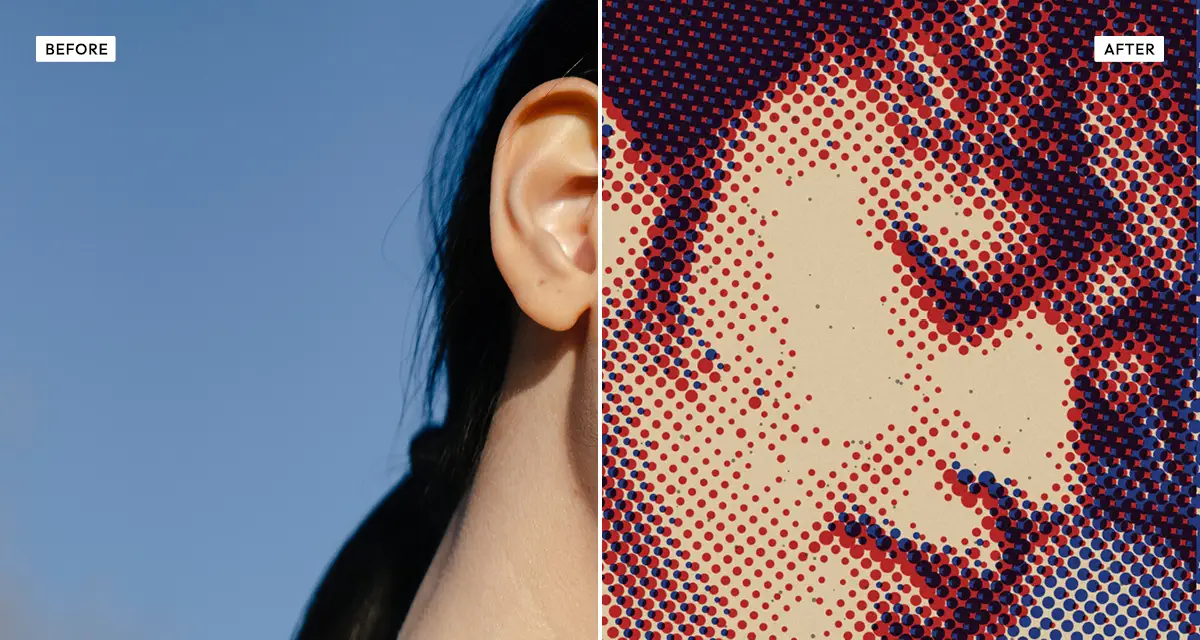 Duo Halftone
The face becomes dots in two inks, slightly out of register. Pop-art in the literal sense — this is how a printed portrait actually looked up close.
Try the effect
Duo Halftone
The face becomes dots in two inks, slightly out of register. Pop-art in the literal sense — this is how a printed portrait actually looked up close.
Try the effect
-
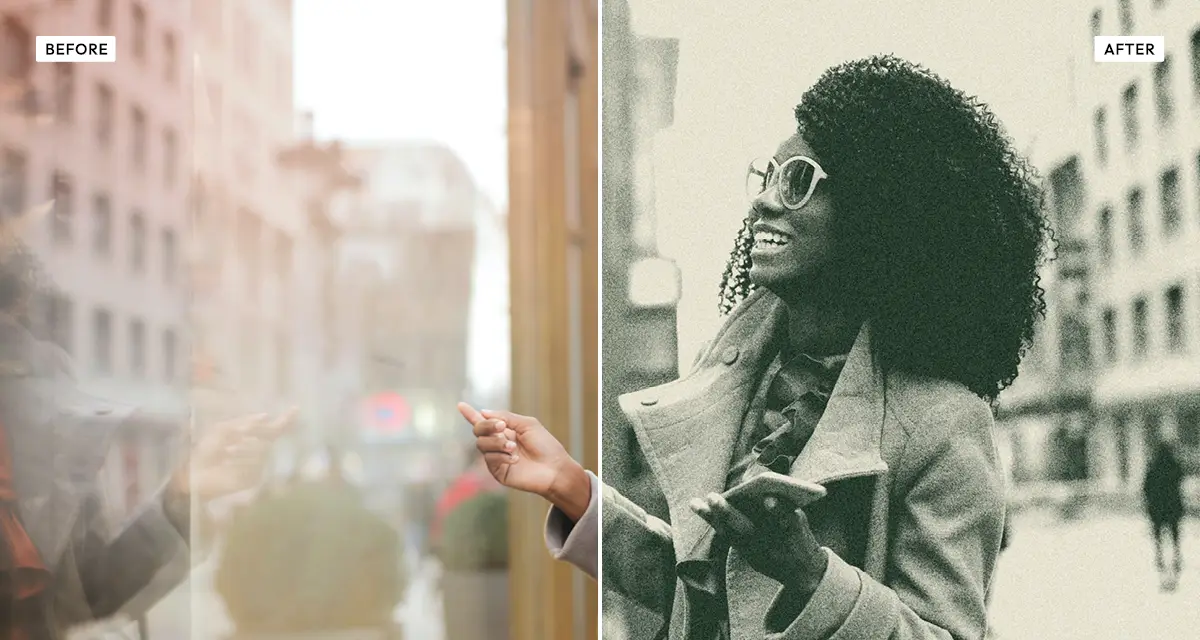 Risograin
One flat ink with heavy grain, as a risograph prints. Portraits come out as posters — good for gig flyers and zine covers, where a clean face would look wrong.
Try the effect
Risograin
One flat ink with heavy grain, as a risograph prints. Portraits come out as posters — good for gig flyers and zine covers, where a clean face would look wrong.
Try the effect
-
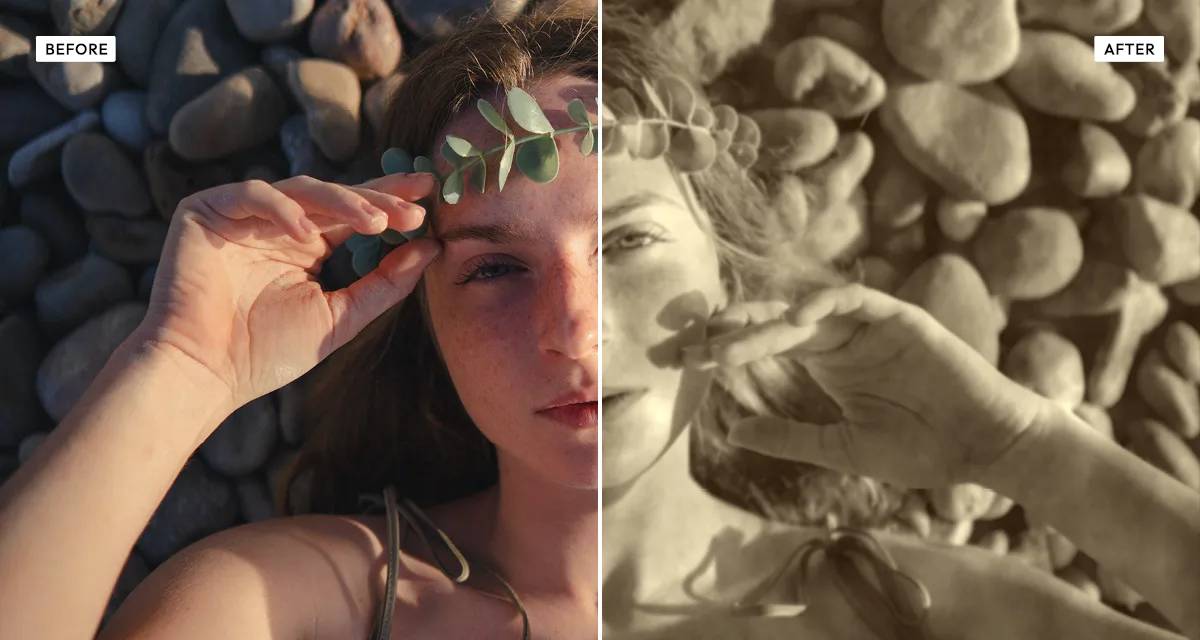 Old Newspaper
A face through a coarse newsprint screen on yellowed paper — the press portrait, the archive clipping, the photograph that ran alongside a story. Dots visible at arm's length, exactly as a newspaper printed them.
Try the effect
Old Newspaper
A face through a coarse newsprint screen on yellowed paper — the press portrait, the archive clipping, the photograph that ran alongside a story. Dots visible at arm's length, exactly as a newspaper printed them.
Try the effect
Experimental
These obscure the face on purpose. Useful when you want a portrait that is not identifiable, or when the person matters less than the atmosphere around them. This is also the group where the source photo matters most: a strong silhouette with clear separation from the background survives all of them, while a busy frame turns to noise. Start simple and let the effect do the complicating.
-
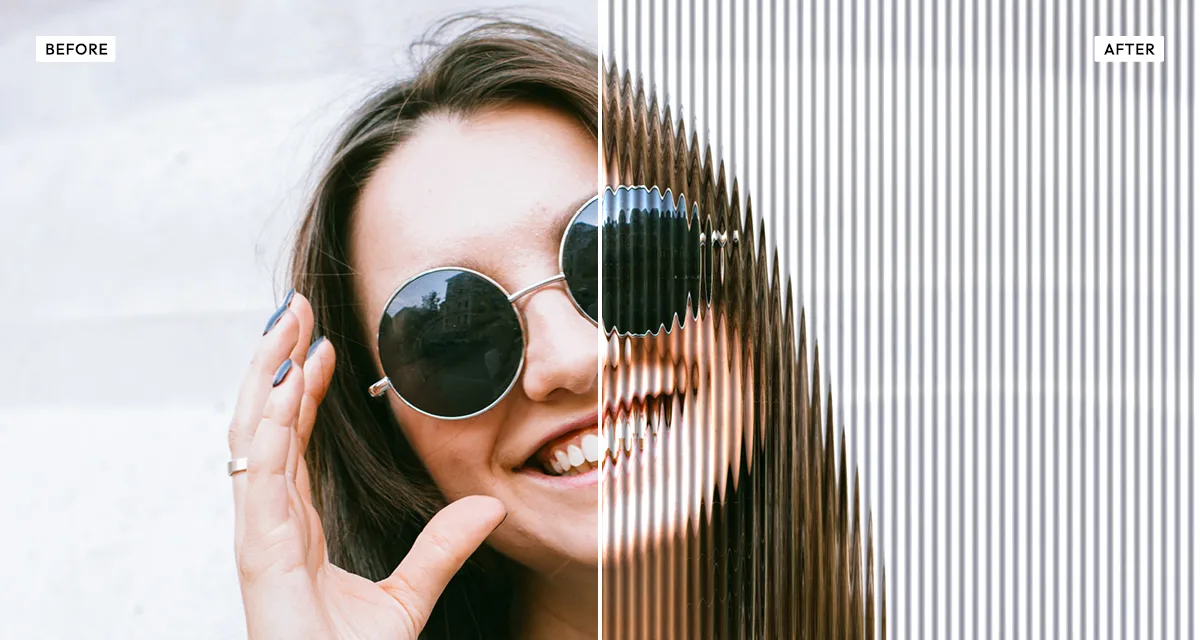 Reeded Glass
Slices the face into vertical refracted ribs, like looking through bathroom glass. Recognisable as a person, unrecognisable as a particular one.
Try the effect
Reeded Glass
Slices the face into vertical refracted ribs, like looking through bathroom glass. Recognisable as a person, unrecognisable as a particular one.
Try the effect
-
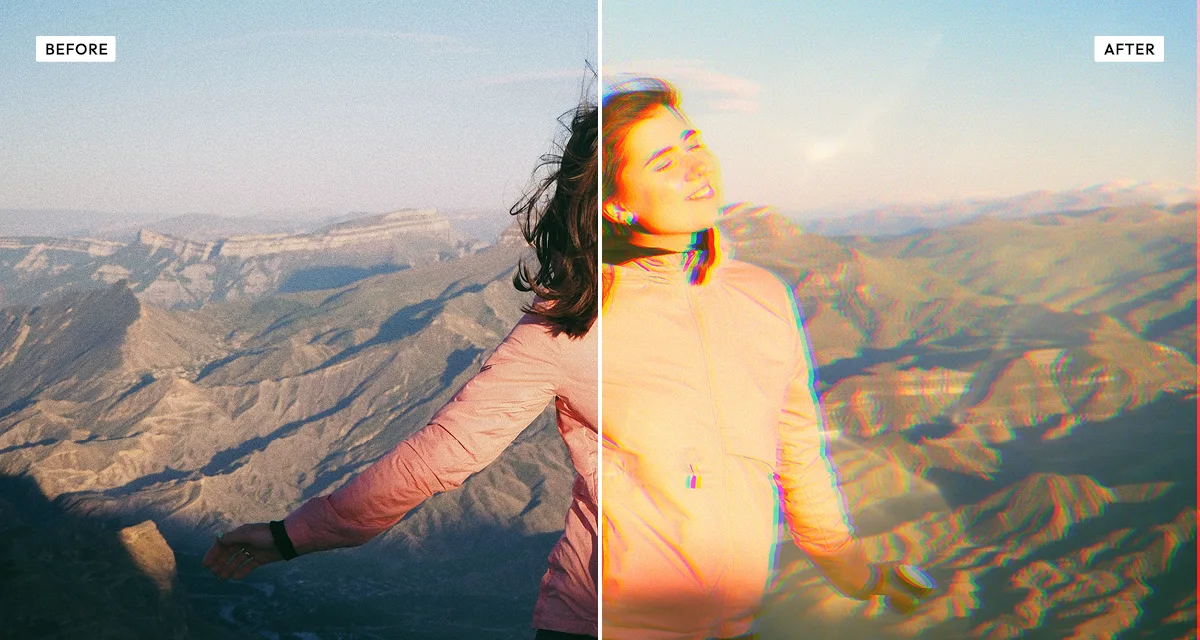 Prismatic Light
Flare and colour fringing over the frame. The face stays intact but the light stops behaving, which reads as dreamlike rather than damaged.
Try the effect
Prismatic Light
Flare and colour fringing over the frame. The face stays intact but the light stops behaving, which reads as dreamlike rather than damaged.
Try the effect
-
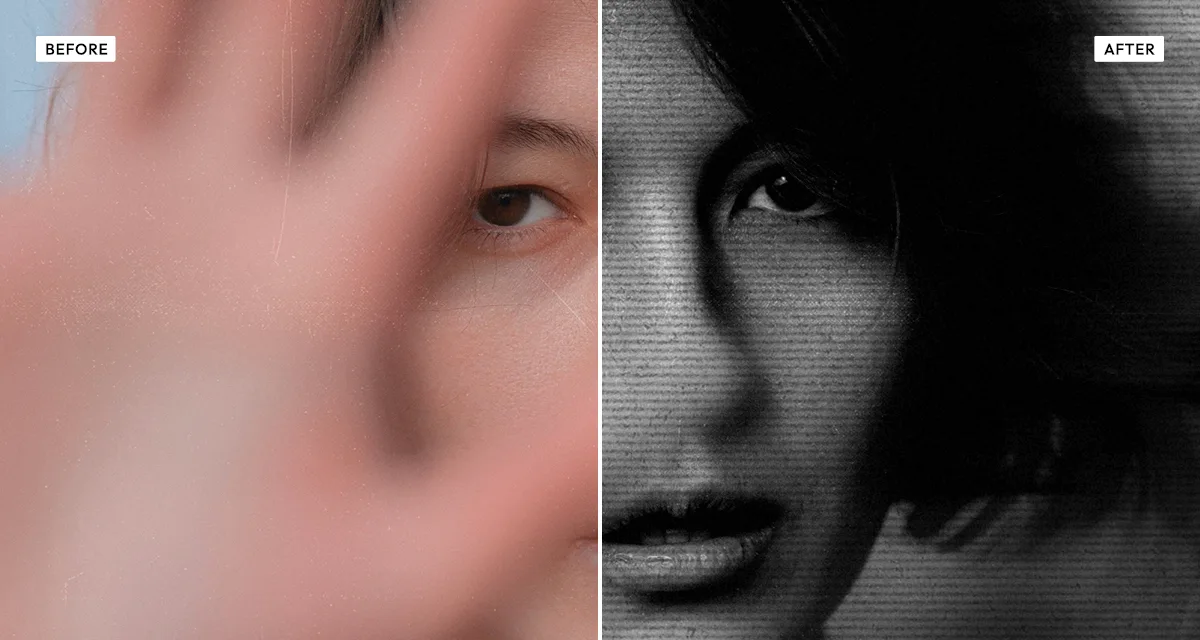 Photocopy Scan
Toner either sticks or it does not, so midtones vanish and a face collapses to hard black and white. Streaks and scanner drag come with it. The punk-flyer look, and unkind on purpose.
Try the effect
Photocopy Scan
Toner either sticks or it does not, so midtones vanish and a face collapses to hard black and white. Streaks and scanner drag come with it. The punk-flyer look, and unkind on purpose.
Try the effect
-
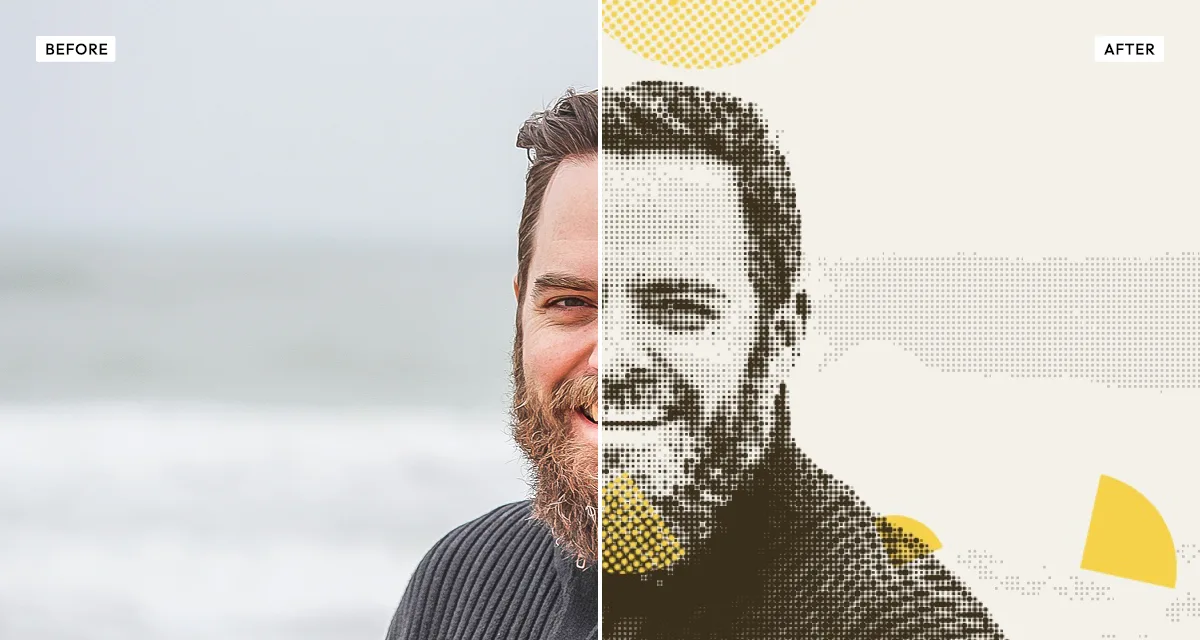 Coolage
Cuts the portrait into overlapping fragments and prints some of them as halftone. Photomontage — the face is material rather than subject.
Try the effect
Coolage
Cuts the portrait into overlapping fragments and prints some of them as halftone. Photomontage — the face is material rather than subject.
Try the effect
How to choose, and what to avoid
Decide first whether the face has to stay flattering.
If someone in the photo will see it, stay in the first two groups. If the portrait is becoming a cover, a poster or a profile picture, the graphic and experimental groups are not just safe — they are better, because losing skin texture is the point rather than a side effect.
Then commit — warm and sunlit, or fully over-processed.
A portrait that is only slightly graded looks like a photo somebody edited. A portrait that is clearly a warm sunlit frame, or clearly a risograph print, looks like a decision. The awkward zone is between the two: enough contrast and texture to notice, not enough to look intentional, which is what people mean when they call a photo over-processed. If you are unsure, push further rather than backing off halfway.
Keep Old Bleach and Grainy Film Poster away from faces.
Both are on this site and neither is on this page, deliberately. Bleach bypass is desaturated and brutally contrasty at once, and push-processed grain is coarse by design. On a landscape that reads as atmosphere; on skin it reads as every pore at once. Use them on faces only when harshness is the entire point.
Use the channel mixer, not a black-and-white preset.
Skin sits mostly in the red channel. Raising red lightens and smooths it while darkening a blue sky behind the subject — two things you almost always want at the same time on a portrait, and two things a fixed conversion cannot give you.
Add texture last, and less than you think.
Grain and paper texture land on the midtones, and a face is almost entirely midtones. Whatever number looks right on a landscape is usually about half of what a portrait wants.
Frequently asked questions
What is the best photo effect for portraits?
It depends whether the face has to stay flattering. If it does, Warm Portrait or Polaroid — both are low contrast and kind to skin. If the portrait is becoming artwork, Duotone and Dramatic Black and White remove skin texture entirely, which is why they suit covers and profile pictures.
How do I make skin look good in a photo effect?
Keep contrast and texture low, and warm the colour rather than brightening it. Faces sit almost entirely in the midtones, so anything that stretches the midtones lands on skin first — contrast, clarity and grain all exaggerate pores and lines that the original light was hiding.
Which portrait effects hide skin texture?
The graphic ones, because they replace skin rather than adjust it. Duotone flattens it to a single colour ramp, Engrave Halftone substitutes ruled lines, Duo Halftone rebuilds it from dots, and Photocopy Scan drops the midtones altogether — skin is almost entirely midtones, so there is nothing left to show a blemish with.
How do I make a portrait black and white without it looking flat?
Use a channel mixer rather than a preset. Skin lives mostly in the red channel, so raising red keeps faces clean and bright while letting you darken a blue sky behind them. Dramatic Black and White gives you those controls; a one-click conversion has to compromise between the two.
How do I blur or hide a face in a photo?
Reeded Glass is the one that genuinely does it. Slicing the face into refracted vertical ribs leaves a person readable as a person but not as a particular one, and unlike a blur it still looks like a deliberate photograph rather than something redacted. It runs in your browser, so the photo is never sent anywhere.
Are these portrait effects free?
Yes, all fourteen, at any setting and with no account. Your photo is processed in your browser rather than uploaded. Credits only apply to full-resolution downloads, and signing up includes three of those free.