
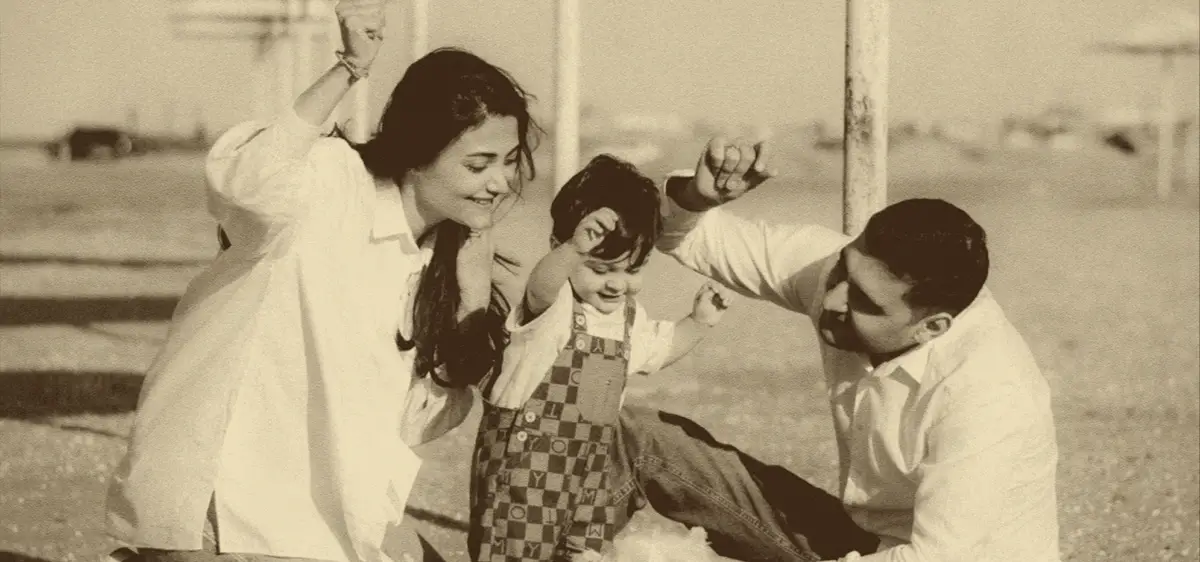
Old Family Photo Effects
Family photographs come with a job attached. Either you have scanned something real and want it to look like itself again, or you are making a new photograph sit alongside the old ones. These seven effects cover both, and the two jobs want almost opposite settings.
Last updated 18 November 2026
Almost everyone arriving here has one of two problems, and the advice for them pulls in opposite directions. Working out which one you have is most of the decision.
The first job is a real old photograph you have scanned, or more often photographed on a phone because the scanner is in a cupboard somewhere. It already has age; it does not need any more. What it usually lacks is agreement with the others. One has gone yellow, one has drifted pink, one came out flat and grey because it was shot through the glass of a frame. You are not ageing anything here. You are making a set look like it belongs together.
The second job is a new digital photograph — a grandchild, a recent gathering, something taken last month — that needs to sit in the same album or the same frame as photographs from forty years ago. Here you genuinely are adding age, and the usual mistake is adding all of it at once until the result looks like a filter rather than a photograph.
What ageing physically is — faded dye, film grain, and damage to the print as an object — is worked through on the old and vintage effects page. This page is about which of those you actually want, given which of the two jobs you are doing.
One more thing worth knowing before you start: almost all of this ends in a print. Framed for a wall, or copies posted to relatives who have never seen the photograph. Printing is far less forgiving about resolution than a screen is, so whatever you do, do it to the full-size file rather than to a small copy.
Which one should you use?
The table sorts them by the job they do; the cards below show each one working on a real photograph, before and after.
| Effect | Best for | What it does |
|---|---|---|
| Vintage | Scans that have gone flat | Faded dye and lifted blacks, the standard snapshot drift |
| Retro Analog Film | New photos that must match old ones | Warm 35mm rendering with grain and grey blacks |
| Warm Portrait | Faces that scanned cold or grey | Gentle warmth tuned to keep skin believable |
| Texturizer | Prints that lost their surface in the scan | Paper fibre, dust and handling marks laid back over |
| Polaroid | One photo to frame or give away | Instant-film border and colour, strongest as a single object |
| Old Bleach | Something much harsher and older | Colour stripped back over very high contrast |
| Old Newspaper | A clipping rather than a photograph | Coarse newsprint dots and ink bleed on yellowed paper |
Every effect in this group
-
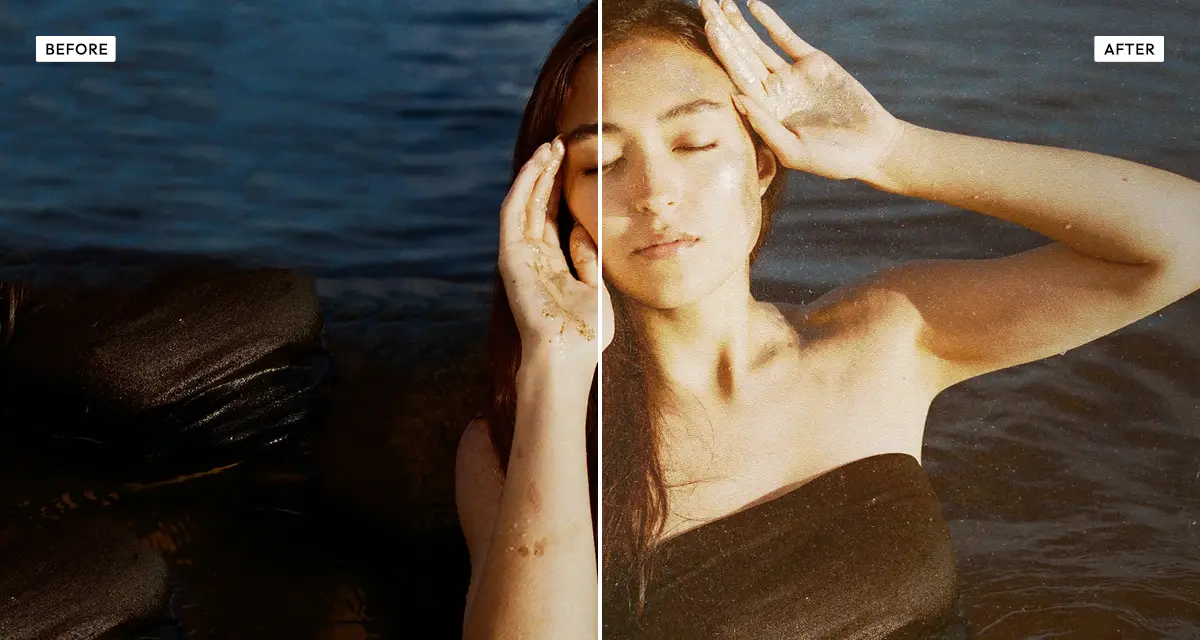 Vintage
The ordinary drift of a colour print left in a drawer for thirty years: dyes fading at different rates, blacks lifting to grey, everything warming. The closest thing here to what actually happens to a photograph.
Try the effect
-
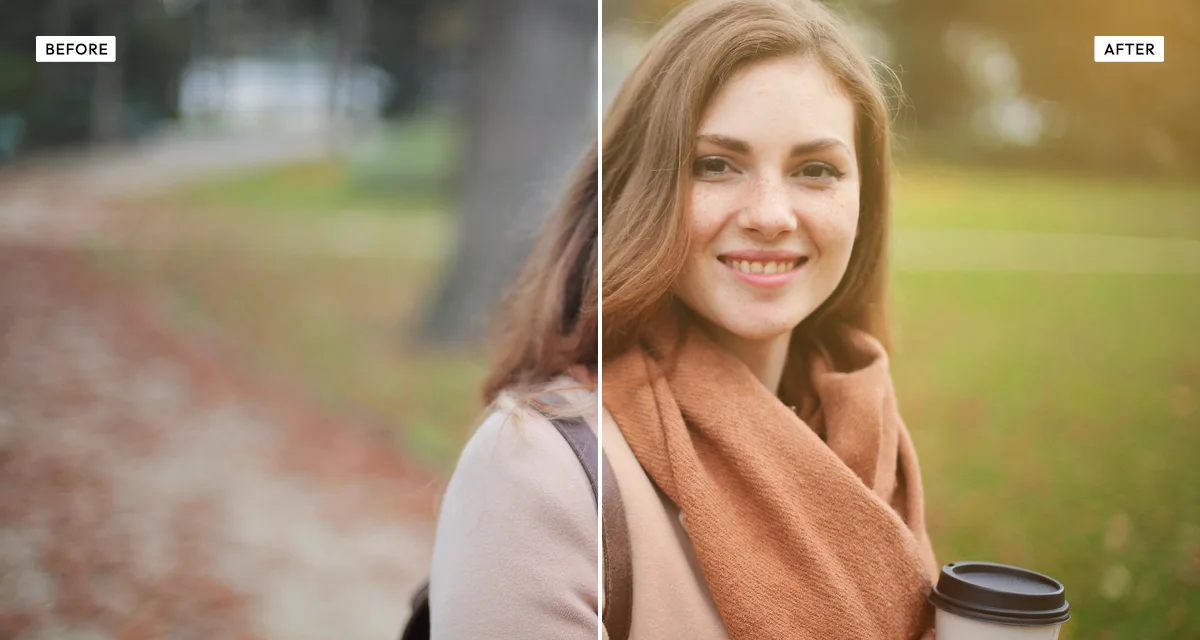 Retro Analog Film
The one to reach for when a new photograph has to match an old one. Warm 35mm rendering, grey rather than black shadows, grain and an optional light leak. Age without obvious damage.
Try the effect
-
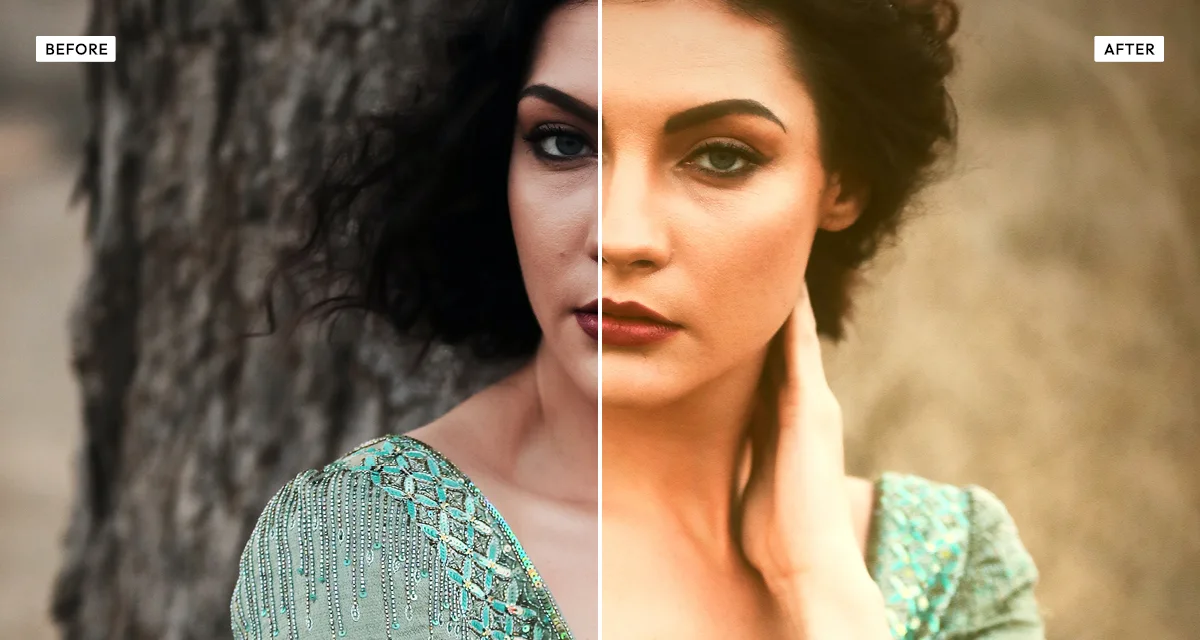 Warm Portrait
Built for faces rather than whole scenes. Scans often come back cold or slightly grey, and this puts warmth back without turning skin orange, which is the usual failure.
Try the effect
-
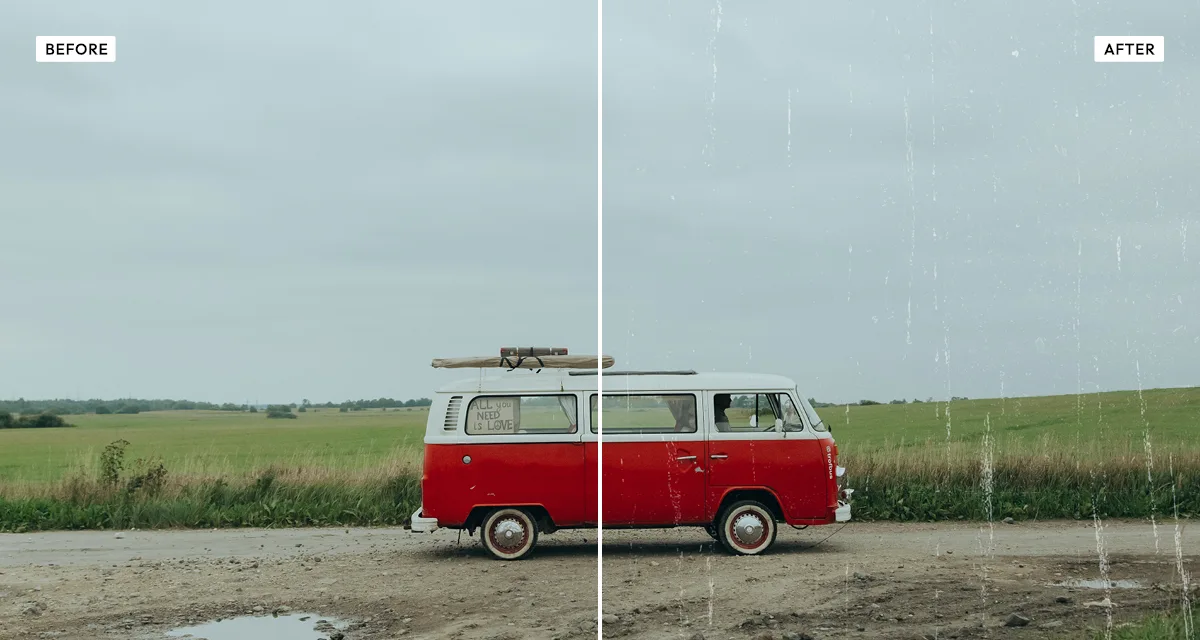 Texturizer
A scan flattens a photograph into pure image and loses that it was ever an object. This lays the surface back on: paper fibre, dust, the marks of being handled.
Try the effect
-
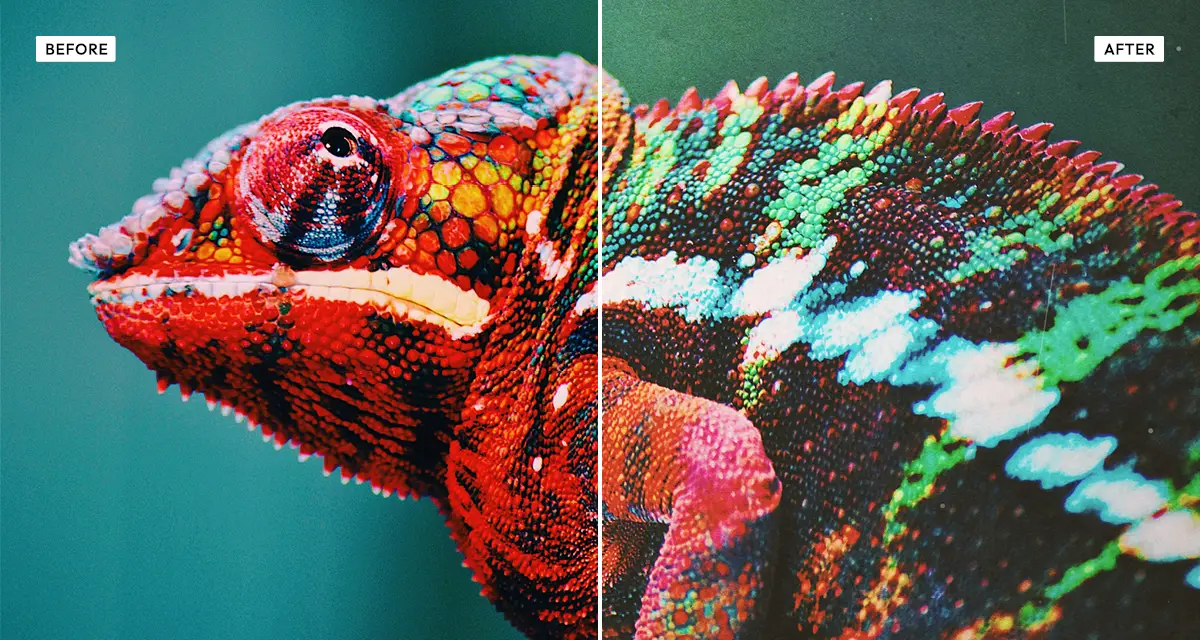 Polaroid
Instant-film colour inside a real instant-film border. Works best on one photograph meant to be looked at on its own, rather than across a set, where the borders start to compete.
Try the effect
-
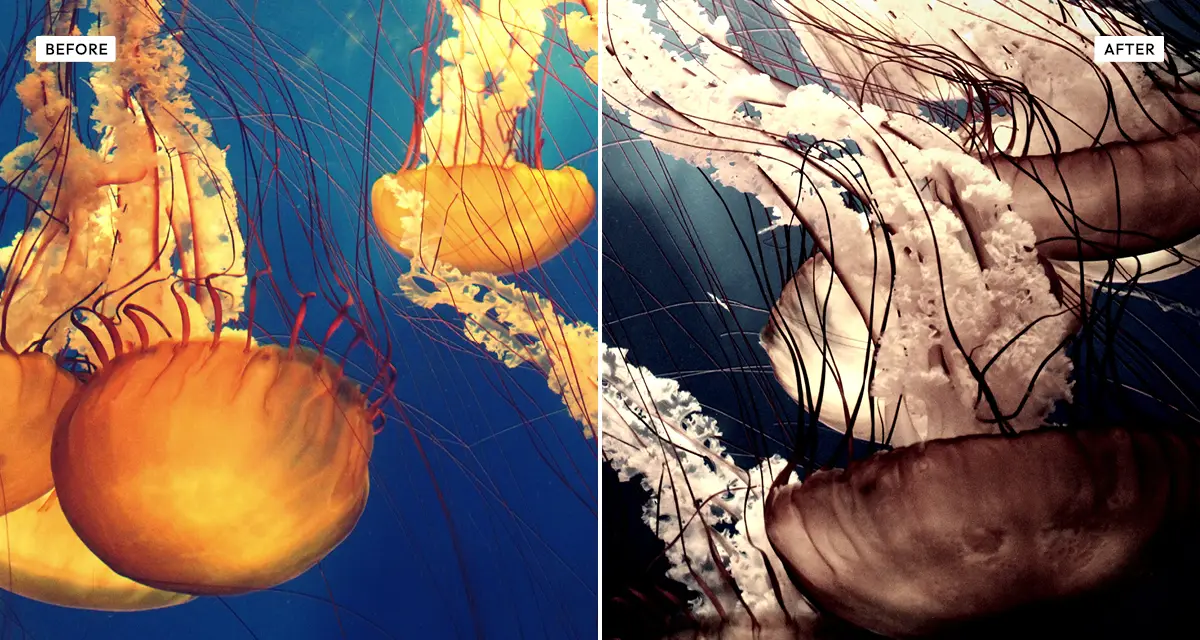 Old Bleach
Bleach bypass: colour largely stripped out over very high contrast. Much harsher than true family-album ageing, and the right choice when you want severe rather than sentimental.
Try the effect
-
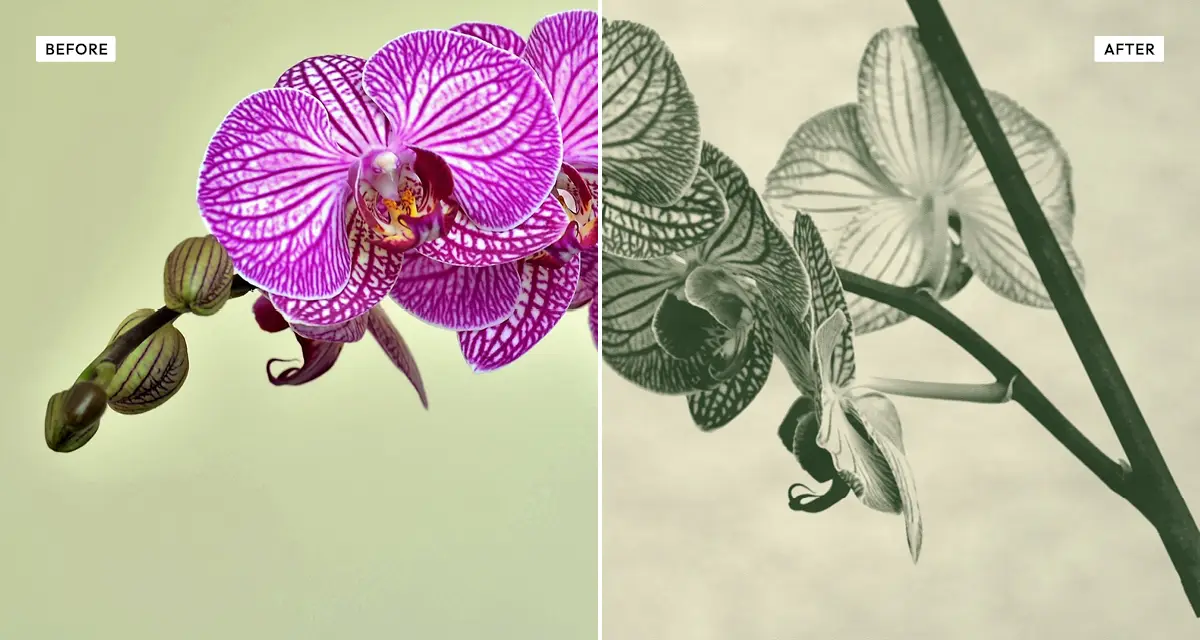 Old Newspaper
Most family boxes hold newsprint as well as photographs — a wedding announcement, a local paper, an obituary. This treats the photograph as a printed page instead: coarse dots, ink spreading into cheap paper, the whole sheet gone yellow.
Try the effect
How to choose, and what to avoid
Work out which of the two jobs you are doing first.
A real scan usually needs correcting, not ageing — it has plenty of age already. A new photograph needs ageing and no correction at all. Doing both to the same file is how you end up with something that looks neither old nor new.
On a new photograph, pick one layer rather than all three.
Faded colour, grain and physical damage are three separate things. Real photographs rarely have all three at full strength. One of them, pushed confidently, reads as age; all three together reads as a filter.
Watch the faces above everything else.
These are photographs of people someone loves, and the eye is merciless about skin. A colour shift that looks charming on a kitchen or a garden can make a relative look unwell. If it is wrong on the face, it is wrong, whatever it does for the rest of the frame.
Treat a set as a set.
If these are going into one album or one frame on one wall, they have to agree with each other more than they have to be individually perfect. Settle on one treatment and apply it across the lot, even where a particular photograph could take more.
A clipping is a different object from a print.
Old Newspaper is the one effect here that does not age a photograph — it reprints it as newsprint, which is why it looks wrong mixed into a set of family prints and right on its own. Use it when the result is meant to read as a cutting: a wedding announcement, a notice, something that was in the paper rather than in the album.
Export at full size if it is going to be printed.
A preview is fine for deciding. It is nowhere near enough for a framed print, and enlarging a small file afterwards cannot put back detail that was never saved.
Frequently asked questions
How do I make a new photo look like an old family photo?
Three effects on this page do it, and the choice is about how far back you want to go. Retro Analog Film gives warm 35mm colour with grey rather than black shadows, which is close to a print from the seventies or eighties. Vintage goes further back: the colour fades and the blacks lift, the way a print fades in a drawer. Old Newspaper is the most direct route to the green-sepia tone people picture when they think of old photographs, because it reduces the image to a single ink on aged paper and the tone comes with the paper rather than having to be dialled in. Having chosen one, work from the full-size file, use that effect on its own rather than running a second one over it, and stop while the faces still look like the people in them.
How can I improve a scanned family photo?
Start by correcting rather than ageing, because the photograph already has age. Most scans come back with a colour cast and flat contrast, so getting the warmth and the black point right usually recovers most of what the photograph originally looked like. Only then decide whether it needs anything added.
Why do my scanned old photos look yellow or pink?
The dyes in a colour print fade at different rates, and the cyan layer normally goes first, which leaves the image drifting warm and pink rather than simply getting dimmer. A scanner then records that drift faithfully. It is the photograph that has shifted, not the scan.
Will these work on a phone photo of a printed photograph?
Yes, and that is how most people do it. Light it evenly, avoid shooting through glass if you can get the print out of the frame, and keep the phone parallel to the photograph. A modern phone easily captures enough detail to print from afterwards.
What effect is best for old family photos?
For a new photograph that needs to match old ones, Retro Analog Film is the most reliable. For a scan that has gone flat, Vintage. For faces that came back cold or grey, Warm Portrait. There is no single best one, because the two jobs — correcting a real scan and ageing a new photograph — want opposite things.
Can I print the result?
Yes, and most people do. Work from the full-size original rather than a small copy, and export at the resolution you loaded. A framed print shows up a shortage of pixels far more readily than a screen does.